Publish a Claude Artifact Without the Sign-In Wall (2026)
You built something in a Claude artifact - a calculator, a little dashboard, a one-page HTML app - and now you want to publish your Claude artifact so other people can actually use it. You hit Publish, copied the link, sent it to a mate, and got back "it's asking me to sign in before I can mess with it." Sound familiar?
This guide covers what a Claude artifact actually is, what the built-in Publish button does (and what it stubbornly refuses to do), how to iterate on one without losing your work, and how to host the thing yourself on a URL you control. I've been shipping static HTML to the web in one form or another since the Geocities days, so the "self-host an HTML file" bit is well-trodden ground; the Claude wrinkle is just figuring out how to get the file out of the artifact panel in the first place. If you've been doing any vibe-coded site work in Claude, the same patterns apply.
What is a Claude artifact?
A Claude artifact is a dedicated panel that opens next to the chat whenever Claude generates something substantial enough to stand on its own - Anthropic's rule of thumb is around fifteen lines or more, the sort of content you'd want to edit, reuse, or share. Instead of the content scrolling away inside the conversation, it gets its own window with view, copy, download, and version-history controls.
Artifacts come in a handful of flavours:
- Single-page HTML apps - calculators, dashboards, landing pages, little interactive widgets.
- React components - more elaborate apps with state and hooks.
- SVG and Mermaid - vector graphics and diagrams.
- Markdown documents - long-form writing, specs, READMEs.
- Code snippets - in any language Claude can write.
The things people actually build are less abstract than that list makes them sound: pricing calculators with tiered discounts wired in, Chart.js dashboards pasted together from a CSV, Snake clones and small puzzle games, multi-step React forms, résumé and proposal pages with proper CSS, Mermaid flowcharts generated from a plain-English description of a process. People publish them for the usual reasons: showing a client the thing without screen-sharing, sending a tool to a teammate, dropping a working demo into a Slack thread, or just keeping the artifact alive after the conversation gets archived.
One development worth knowing about if you've not been in Claude for a while: artifacts now have their own home. There's an Artifacts space in the left sidebar with a "Your artifacts" tab listing everything you've made, alongside an Inspiration gallery of curated community artifacts organised into categories like Learn something, Life hacks, Play a game, and Be creative. You can open any of those and hit Customize to fork a copy into your own chat. It is a useful way to see what the format is actually good for before you build your own.
How to Publish a Claude Artifact (Built-in Method)
Anthropic's native flow is genuinely simple. Once you've got an artifact you're happy with:
- Open the artifact - either from the panel next to the chat, or from the Artifacts space in the sidebar under "Your artifacts."
- Check you're on the version you actually want to ship (more on version history below), then hit the Publish button in the panel header.
- In the dialog that appears, click Publish & copy link.
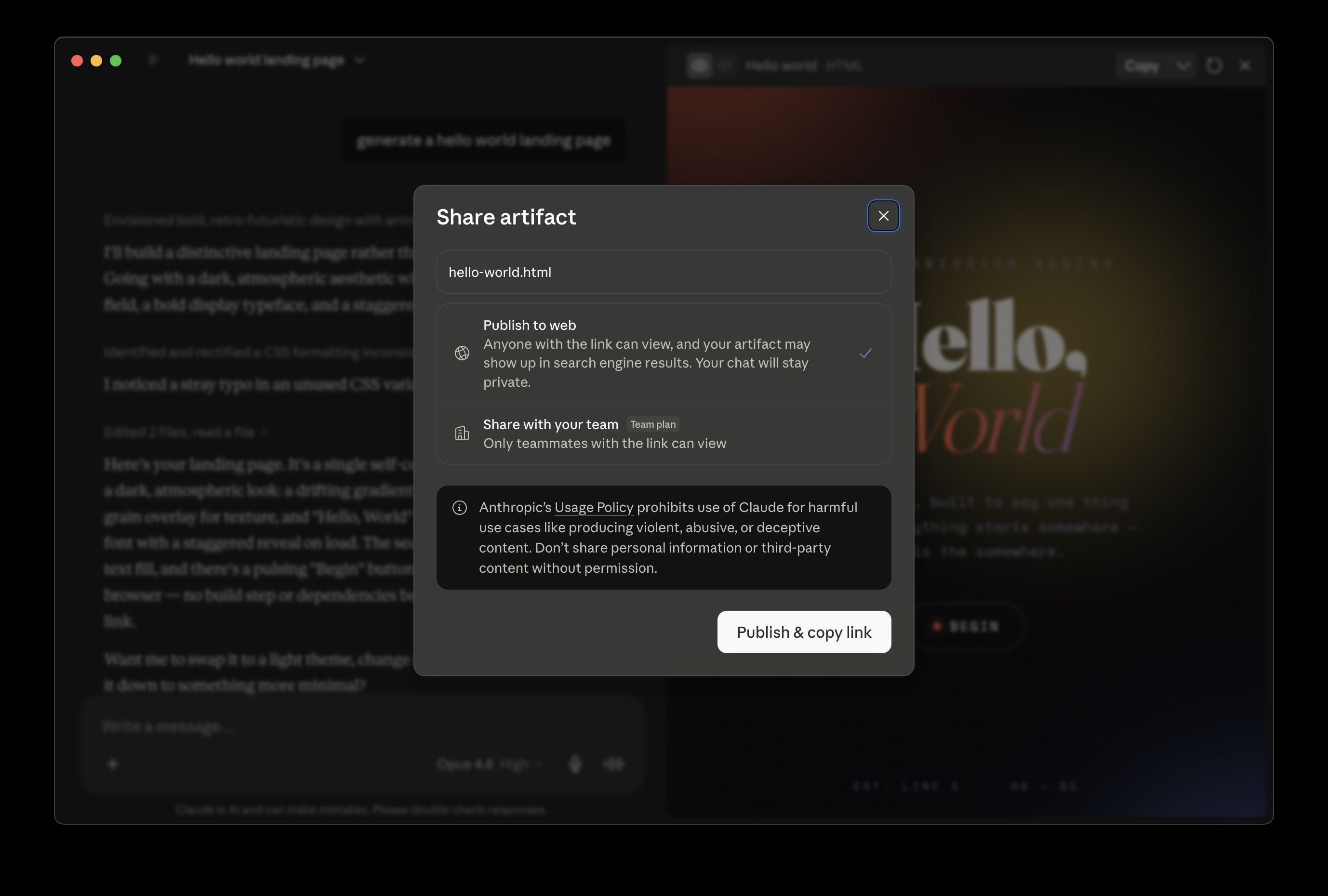
That's pretty much it. The link is hosted by Anthropic, the artifact stays live until you unpublish it, and the URL is permanent in the sense that it doesn't rotate. The one detail the step-by-step tutorials are clearer on than the prose docs: publish from an old version by accident and that old version is what your viewers get.
There's also a Get embed code button that opens a modal with an iframe snippet you can paste into a website, with a comma-separated field for restricting which domains are allowed to embed it.
A few behaviours worth knowing about:
- Remix / Customize: viewers with a Claude account can click Customize and start a new conversation with a copy of the artifact. Their edits don't touch your original.
- Unpublish is one-way: if you unpublish an artifact, you can't republish that same one again. You'd have to clone it or start fresh. Anything in the artifact's persistent storage is also wiped at the same moment, so do export anything you care about first.
- Persistent storage is a paid-plan, post-publish thing. Per Anthropic's help docs, published artifacts can store up to 20 MB of text-only state per artifact on Pro, Max, Team and Enterprise plans. During the build, storage calls quietly fail; this trips up a lot of people who think the feature is broken when it's just gated.
Publishing is available on Free, Pro, and Max plans. Team and Enterprise accounts can share artifacts internally - viewers there inherit access to any files attached to the originating conversation, which is worth knowing - but the public Publish button isn't part of that flow.
Iterating on a Claude artifact (version history and forks)
Every time you ask Claude to change an artifact, the previous version is saved automatically. There's a version selector in the artifact window's toolbar - click through and you can scrub back to anything earlier in the timeline. The non-obvious bit: if you go back to Version 3 and ask for a change there, Claude doesn't overwrite the versions that came after; it forks the timeline from that point, so you end up with a branch. Handy when you've gone down the wrong rabbit hole, mildly confusing the first time it happens.
One thing that catches people out: Claude tends to do full rewrites rather than targeted edits, so a "just change the button colour" prompt can quietly alter logic elsewhere. Diff the new version against the previous one before you republish your Claude artifact, if the artifact's doing anything load-bearing. Once you've republished, the live URL serves the new version straight away - no separate deploy step, no cache to bust.
What "Publish" actually does (and doesn't)
Here's where the wheels can come off, and it's the bit barely covered by the official docs.
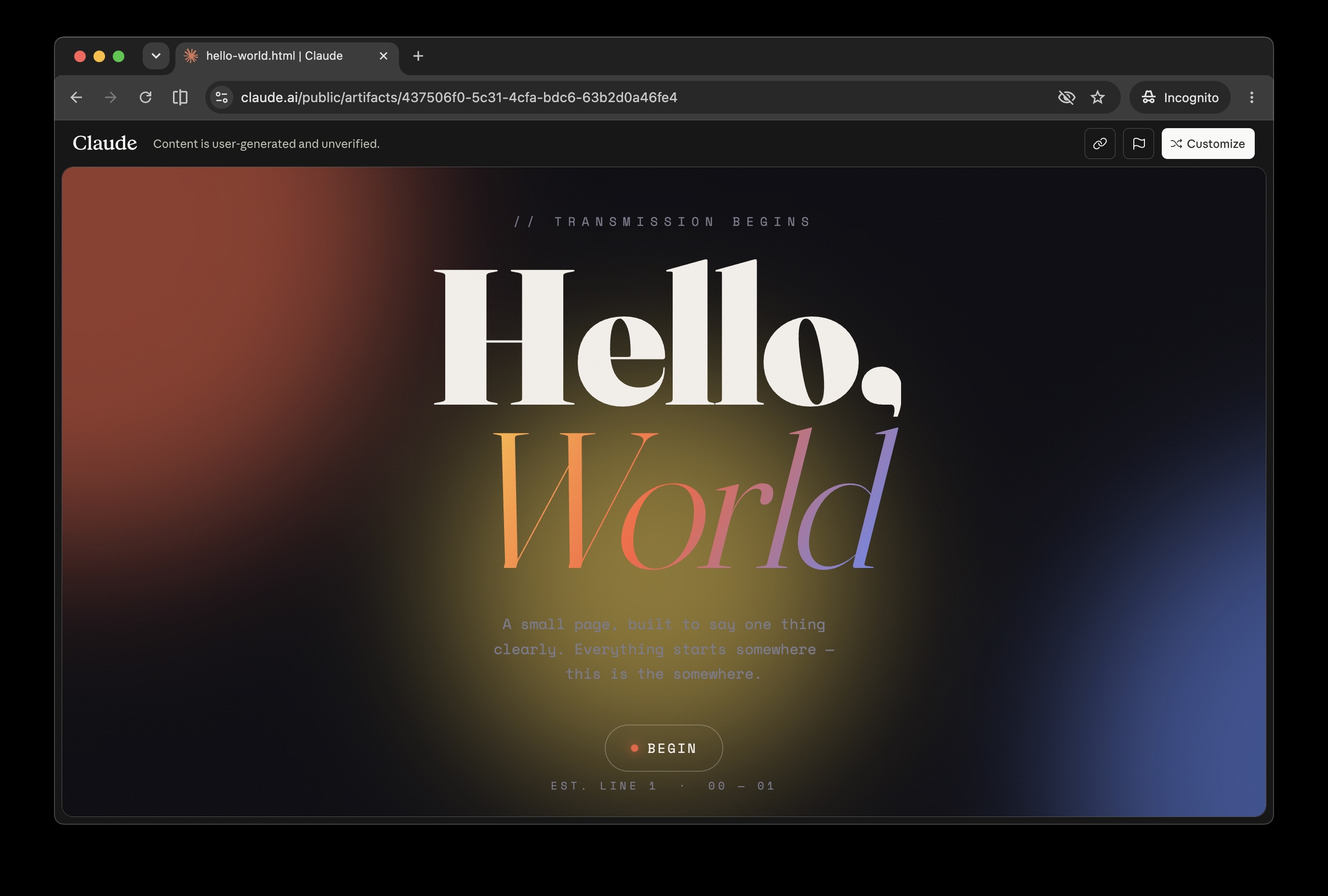
The published link is hosted on Anthropic's own domain (claudeusercontent.com at time of writing). Per Anthropic's support docs, anyone with the link can view and interact with a published artifact without a Claude account - they only get nudged to sign up when they try to use advanced features like Customize or anything AI-powered. So the picture is more nuanced than "everyone hits a login wall." It's the capability that's gated, not the basic view.
Limits you'll bump into, in roughly the order they bite:
- AI-powered artifacts always require login. If the artifact calls back to Claude during use, viewers need an active Claude session. Pure static HTML/JS artifacts just run.
- Customize/Remix requires a Claude account. Fine for some workflows, a blocker if your viewers aren't on Claude.
- No custom domain, no password protection, no analytics. You're stuck on the Anthropic-branded URL, you can restrict embed domains but not who opens the link, and you won't know how many people opened it.
- Corporate firewalls. Plenty of workplaces block claude.ai outright, which means your link is dead inside those networks.
- Tied to the conversation lifecycle. Lose access to the original chat and you've lost the ability to edit the published version.
- The Anthropic-hosted side is a moving target. Earlier this year a postMessage origin mismatch between claude.ai and claudeusercontent.com left published artifacts as blank screens for a stretch. Fixed since, but a useful reminder that you don't control the runtime.
In Anthropic's own framing this is a way to share artifacts within the Claude ecosystem. Perfectly reasonable scope; it's just not quite the same thing as putting a real website on the internet.
Common Claude artifact gotchas before you publish
A short list of the ones I keep watching people trip over when they publish a Claude artifact:
- Smart quotes in HTML attributes. Claude occasionally emits curly quotes inside
<tag attr="...">, which silently breaks rendering. Add "use only straight ASCII quotes in all HTML attributes" to your prompt if you're seeing blank renders. - localStorage and sessionStorage. Reads and writes fail silently inside the artifact sandbox. For state across reloads you need Anthropic's persistent storage (paid, published) or self-hosting.
- External fetches. No
fetch()to your own API - the sandbox blocks external HTTP, so anything that needs a backend has to be stubbed or moved out. - CDN allowlist surprises. React, Tailwind, Chart.js and Recharts come down fine; less common CDNs sometimes don't, and corporate firewalls make the picture murkier still.
- The bundler trap. This one bites React artifacts in particular: if you don't explicitly ask for a self-contained file, Claude can hand you React code that assumes a build step - imports it expects a bundler to resolve, no CDN script tags. It runs in the artifact preview and then fails everywhere else. The fix is in the extraction section below.
- Mobile rendering drift. What looks tidy in the desktop preview can shift on a phone. Open it on a phone before sending the link to a client.
When the built-in flow is enough
For a chunk of use cases, the native Publish is exactly right:
- Internal team demos where everyone's already on Claude.
- Quick "have a look at this" moments where you're happy for viewers to see-but-not-customize.
- Throwaway prototypes that you don't expect to outlive the week.
- Anything that needs the Customize/Remix flow, which is genuinely useful for collaborators.
If the limits above don't sting, save yourself the effort and stop here.
When you need to host it yourself
You'll want to take the artifact out of Claude when any of the following apply:
- You need a custom domain - your own brand, not someone else's.
- You want password protection or sign-in restricted to a specific group.
- You're embedding it on a client site and want zero Claude branding bleeding through.
- The artifact needs to outlive the conversation that produced it.
- You want to edit it after publishing without re-opening the original chat.
- Your viewers are on networks that block claude.ai, or you just don't want anyone nudged toward signing up.
The answer is the same as it's been since the late nineties: get the HTML, put it on a host.
Getting the artifact code out of Claude
There are three ways to extract the code - call it the closest thing to a Claude artifact downloader - in roughly increasing order of faff. If you'd like a broader walk-through of the host-an-HTML-file end of things, the hosting an HTML file online guide covers that side.
1. The download button. In the artifact panel, look for the download icon (next to copy and view-code). For pure HTML artifacts this saves a .html file straight to your machine. Done.
2. Ask Claude for the inlined version. This is my preferred trick when the artifact is React or otherwise multi-file. The phrasing that consistently does the job is to ask for a single HTML file with everything baked in - that exact wording is what stops Claude assuming a bundler. Something like:
Give me the complete artifact as a self-contained single-file HTML file. Inline all the CSS and JavaScript, replace any imports with CDN script tags (React, Tailwind, etc.), and make sure it runs by just opening the file in a browser - no build step.
Claude will usually oblige with one tidy HTML file. Save it somewhere you can find it - most static hosts (Hostsmith included) will treat a single dropped HTML file as the site's index automatically, so no fussing with filenames is required. Sometimes you'll need a follow-up like "the chart isn't rendering, fix the Recharts CDN import," but it's reliable enough.
3. View source from full-screen. Open the artifact full-screen, right-click, choose View Page Source, copy the lot into a text file. Bit clunky, but it works when the download button isn't cooperating.
A few things to handle while you're at it:
- External dependencies. If the artifact pulls in fonts, images, or scripts from random places, decide whether to inline them, swap to a CDN, or download them alongside the HTML.
- API keys. If Claude wrote in any keys or tokens for testing, take them out before publishing. Obvious, but worth saying.
- Relative paths. If your artifact references
/api/something, that won't exist on the new host. Either stub it out or point it at a real endpoint.
A workflow tip worth stealing from John Whitaker's Deploy Your Artifacts writeup: keep a single tools/ folder on whatever host you use, one subfolder per artifact, and treat it as your personal artifact graveyard and portfolio. Drop new ones in, they go live; old ones stay reachable. Stops you reinventing the same calculator three months later.
Hosting a Claude artifact on Hostsmith
This is where I'll mention what we do, because it slots in cleanly. Hostsmith is static-first hosting designed for exactly this kind of single-file or small-folder upload. There are two ways to get an artifact up.
Path A: let Claude do it via MCP. Hostsmith ships an MCP server that Claude clients (Claude Desktop, primarily) can call. After a one-off setup in Claude Desktop's settings, you can stay in the chat and say something like:
Publish this artifact on Hostsmith as
my-budget-tool.
Claude calls the MCP tools, the artifact lands on a URL like my-budget-tool.us.hostsmith.link, and you get the link back in chat. No copying, no downloading, no switching tabs. If you want to update it, "redeploy that same site with this version" overwrites in place - your URL stays the same. Worth noting: Hostsmith uses MCP to publish sites; it hosts the artifact's static output, not arbitrary MCP servers for other people. Different thing.
Path B: save and drop. If your artifact is React or multi-file, run the inline-everything prompt from the previous section first so Claude hands you a single HTML file. Then open the Hostsmith dashboard and drag that file into the upload area. You get the same your-app.us.hostsmith.link URL. See the drag-and-drop hosting guide for the broader workflow.
What you get on the free tier: one site, 5,000 visitors a month, 5 MB upload limit, regional subdomain. That's enough for most single-file artifacts; if you've inlined a stack of images you may need a paid plan.
Move up a plan and you unlock the things claude.ai/public can't do:
- Custom domain (Pro plan and above): host a client's pricing calculator on
tools.theirbrand.comso the thing looks like part of their product rather than a Claude share link. - Private Sites (Starter plan and above): drop an email whitelist on an internal sales dashboard so only your team can open it, without standing up any auth code yourself.
- No Hostsmith branding from the Starter plan up: useful when the artifact is going in front of a client and you'd rather it didn't advertise anyone else's name in the footer.
- Multiple sites for when the one calculator turns into three internal tools and a public demo.
Other ways to host a Claude artifact
I'm not going to pretend Hostsmith is the only option - here are the alternatives I'd actually consider. If you're weighing options more broadly, the GitHub Pages alternatives post compares a fuller list.
| Method | Time to URL | Custom Domain | Password Protect | Best For |
|---|---|---|---|---|
| Hostsmith (MCP or drop) | ~1 min | Yes (Standard+) | Yes (Standard+) | One-file artifacts, MCP workflow |
| Netlify Drop | ~1 min | Yes (free) | Paid | Quick public demos |
| Vercel | ~2 min via CLI | Yes (free) | Paid | React/Next artifacts |
| Cloudflare Pages | ~3 min | Yes (free) | Paid (Access) | High-traffic public sites |
| GitHub Pages | 5-10 min | Yes (free) | No | Anything already in a Git repo |
| CodePen / Gist | seconds | No | No | Code-focused demos |
One caveat on the quick-and-free end: a crop of paste-and-go artifact hosts have appeared that turn copied code into a link in seconds, which is genuinely handy, but several run on free tiers that lapse after a week or two - so they suit a demo you'll throw away rather than anything you need reachable next month. Read the small print before you send the link to a client.
For React-heavy artifacts that are too tangled to inline, the open-source claude-artifact-runner project drops the artifact component into a Vite scaffold and builds a dist/ you can host anywhere. More setup, much better for anything beyond a single screen.
Live Artifacts vs published Claude artifacts
A quick guard against confusion: Live Artifacts in Claude Cowork are a different thing from a published Claude artifact - desktop-only (macOS or Windows, paid plans), they refresh data from connected apps every time you open them, and there's no public URL. They're a personal dashboard, not a publishing target. If you need a dashboard other people can hit on a URL, you're back to extract-and-host.
Embedding a Claude Artifact on Your Own Site
Two routes.
Anthropic's embed code. From the published artifact, hit Get embed code and copy the iframe. You set an allowed-domains list so only your site can load it. Viewers can interact with it as-is, but anything AI-powered or any attempt to customize will still hit the Claude account flow.
Self-hosted iframe. Host the artifact yourself, then drop a plain iframe wherever you want it:
<iframe
  src="https://my-tool.us.hostsmith.link/"
  width="100%"
  height="600"
  style="border: 0;"
  loading="lazy">
</iframe>
No Claude branding, no auth nudges, no allowed-domains restriction beyond what you choose to add via CSP headers. This is the route I reach for whenever the artifact is going on a public page.
FAQ
Can I publish a Claude artifact privately? Not via the built-in Publish - it's all-or-nothing within the Claude ecosystem. For real private sharing, host it yourself behind a password or email whitelist (Hostsmith Starter, Cloudflare Access, etc.).
Can I use a custom domain for a Claude artifact? No, not on the Anthropic-hosted URL. Custom domains only happen if you self-host the extracted HTML.
How do I download a Claude artifact? Click the download icon in the artifact panel, or ask Claude to give you the complete code as a self-contained single-file HTML file.
How do I convert a Claude artifact to PDF? Not directly from Claude. Easiest route: open the HTML (downloaded or hosted) in your browser and print to PDF. From there you can share the PDF as a link.
Do viewers need a Claude account? No, not for the basic case. Anthropic lets non-account viewers open and interact with a published artifact; they're only prompted to sign up if they try advanced features like Customize or AI-powered capabilities. Self-hosted, even those gates go away.
What happens if I unpublish? The URL stops working, persistent storage is wiped, and you can't republish that same artifact. If you self-hosted a copy beforehand, that copy is unaffected.
How big can a Claude artifact be? The artifact itself is bounded by Claude's output limits, so a single artifact is realistically tens of KB of HTML/JS. Per Anthropic's docs, persistent storage on paid plans tops out at 20 MB of text per artifact - plenty for state, not for large media.
Can I edit an artifact after I've self-hosted it? Yes - re-open or re-create it in Claude, get the updated HTML, and redeploy. With the Hostsmith MCP server you can ask Claude to overwrite the existing site in one prompt; the URL doesn't change.
The summary, then: Anthropic's Publish button is fine for sharing with people who already use Claude, or for artifacts simple enough that the viewer never trips the sign-up nudge. The moment you need a real URL - one without account gates on the interactive bits, on your own domain, with optional access control - the answer is to get the HTML out and put it somewhere you control. The work of extracting it has actually gotten easier as Claude has gotten better at producing self-contained single-file artifacts, and the hosting step is a drag-and-drop.