
Sveltia CMS is an open-source, Git-based content editor that runs in the browser and saves every change as a commit to your repo. It works well on an Astro site as long as each editor can get a GitHub account with write access, and the setup is two files in public/admin, a collection that mirrors your content schema, and one output option that keeps Astro's Zod validation happy.
It's written for the Astro developer whose client wants to edit their own pages, the Decap CMS user eyeing the successor, and the agency that exported a site from Webflow and rebuilt it in Astro. Everything below was checked against Sveltia's docs on November 4, 2026, and we ran the setup files in Sveltia's local mode the same day.
What is Sveltia CMS, and is it ready for client sites?
Sveltia CMS is an MIT-licensed, Git-based headless CMS that ships as one small JavaScript bundle served from a CDN. There is no database and no CMS server: the admin page talks to GitHub, GitLab or Gitea/Forgejo directly and writes Markdown files into the repo. It started as a rewrite of Netlify CMS (now Decap CMS) and reads the same config.yml format.
Netlify CMS was the most popular Git-based editor for years, until development stalled in early 2022, as Sveltia's creator Kohei Yoshino tells it in his introductory talk. It carried on as Decap CMS (3.17.3 shipped on October 26, 2026), while Sveltia rebuilt the editor in Svelte.
On compatibility, Sveltia's successor page calls it a drop-in replacement for most use cases. Most is the word to hold on to. The differences that tend to bite a Decap site on the move:
- Git Gateway and Netlify Identity aren't supported, and Git Gateway isn't planned, so a Decap site on Netlify Identity has to switch to GitHub sign-in.
- No Bitbucket or Azure DevOps backend, for performance reasons.
- No Git LFS on the GitHub backend. GitLab and Gitea/Forgejo do support it.
- Empty optional fields are saved as
"",[]ornullunless you setomit_empty_optional_fields: true. On Astro this one matters; more on it below. editor.visualEditingandsearchare ignored, since Sveltia has both built in.
The other catch: it's still beta. The latest release is v0.258.1 (November 3, 2026), and the roadmap targets 1.0 in "late 2026", a date that has already slipped from early 2026, with the server-side Sveltia CMS Additions still to ship. Until then breaking changes are possible and one developer maintains it, so plan the client's launch around the version you pin.
Our verdict: for a small client site whose few editors can each get a GitHub account, it's a good fit. Read the sign-in section before you promise it, because that's where the work is.
What the client sees
The client opens https://their-site.com/admin/, clicks a button to sign in with GitHub, and lands on a list of collections: Blog, Pages, whatever you've defined. They pick an entry, edit the fields and the Markdown body with a live preview beside them, drop an image into the image field, and hit Save. That save is a commit to the repo, and the live site picks up the change once your build has run, usually a few minutes later.
The screenshots come from our local-mode test of the setup below (step 6), which reads files from disk instead of GitHub.
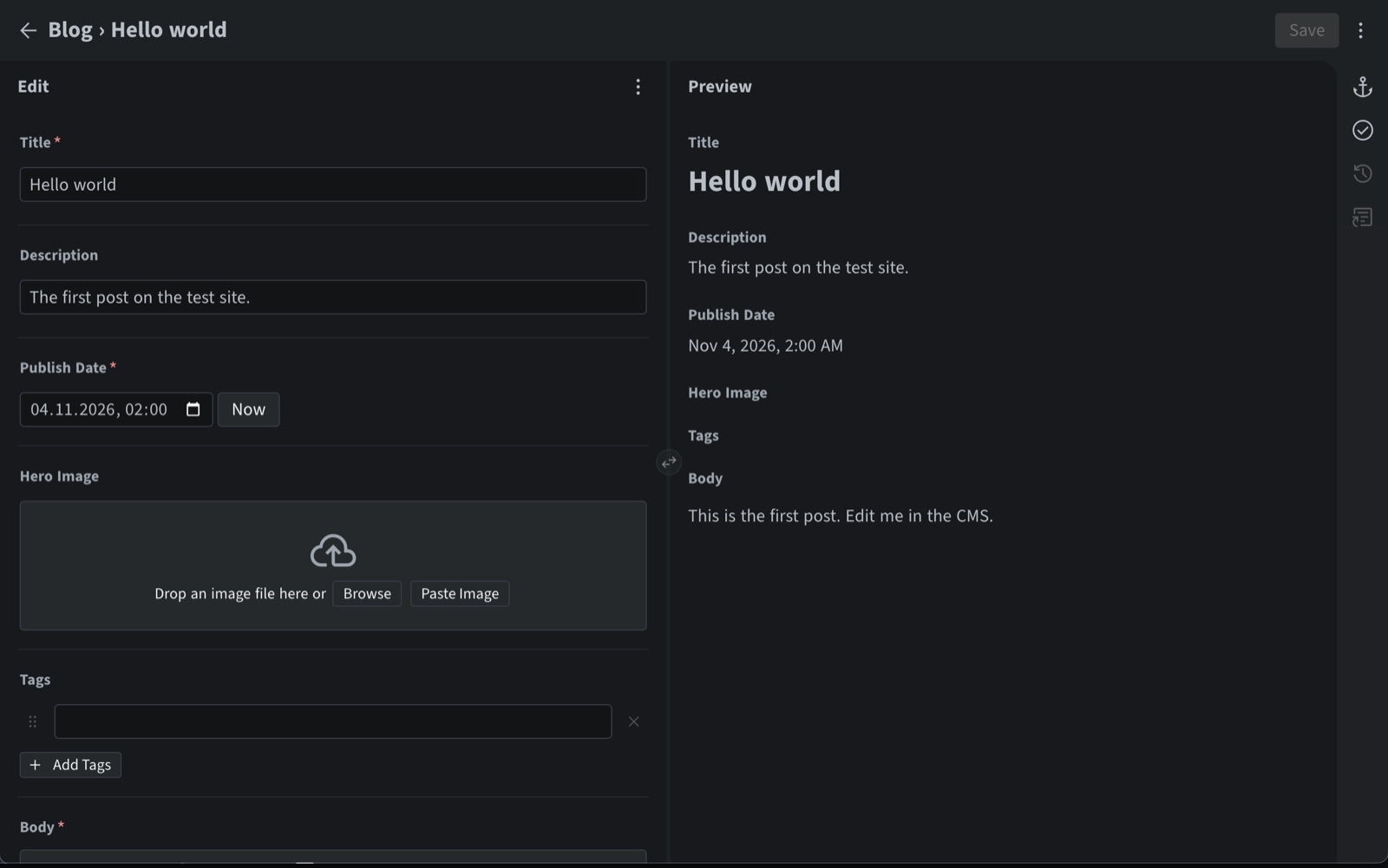
The image field's picker uploads a file, reuses the entry's or the site's images, takes a URL, or searches stock photo sources such as Pexels and Unsplash once you've added an API key for each.
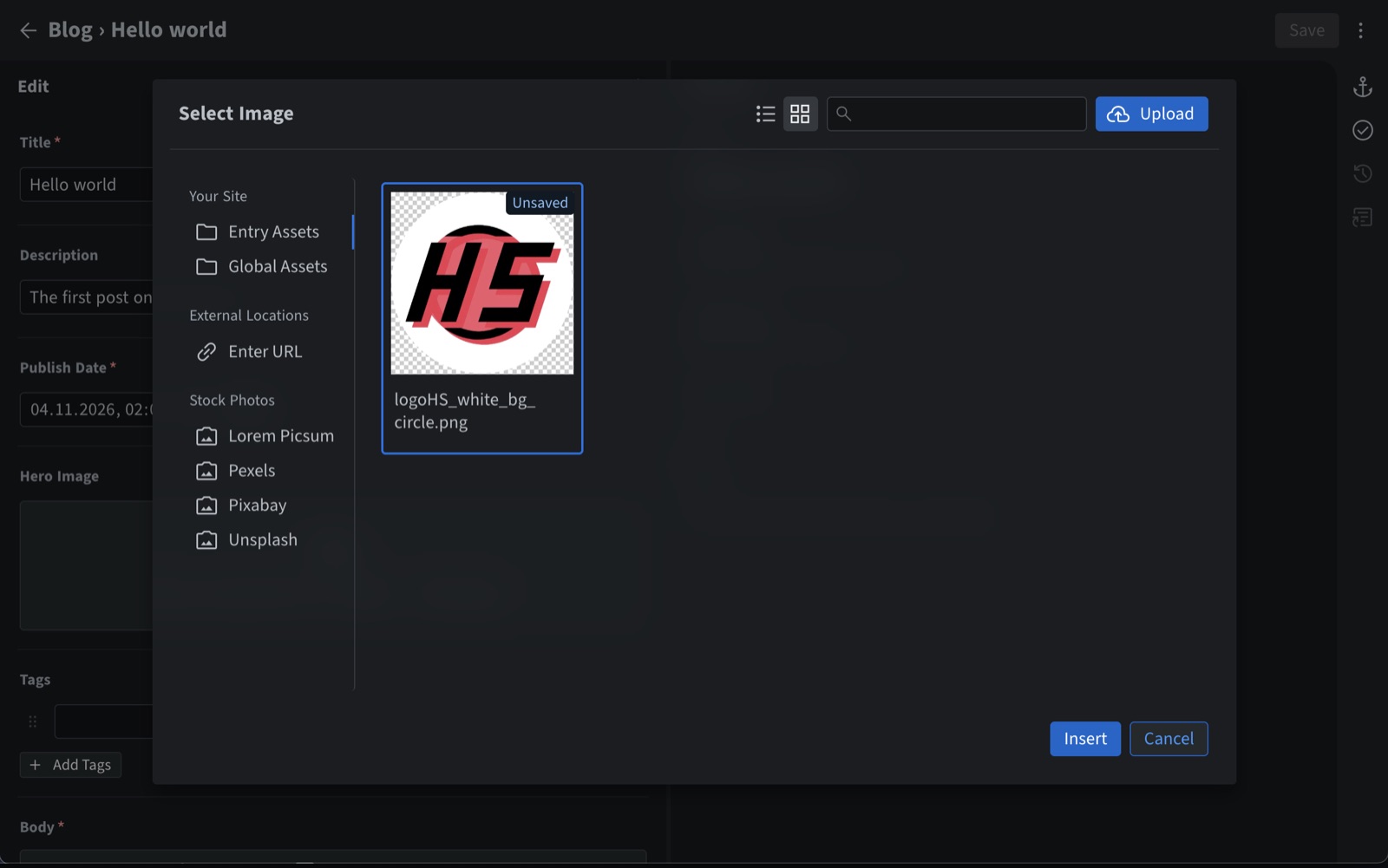
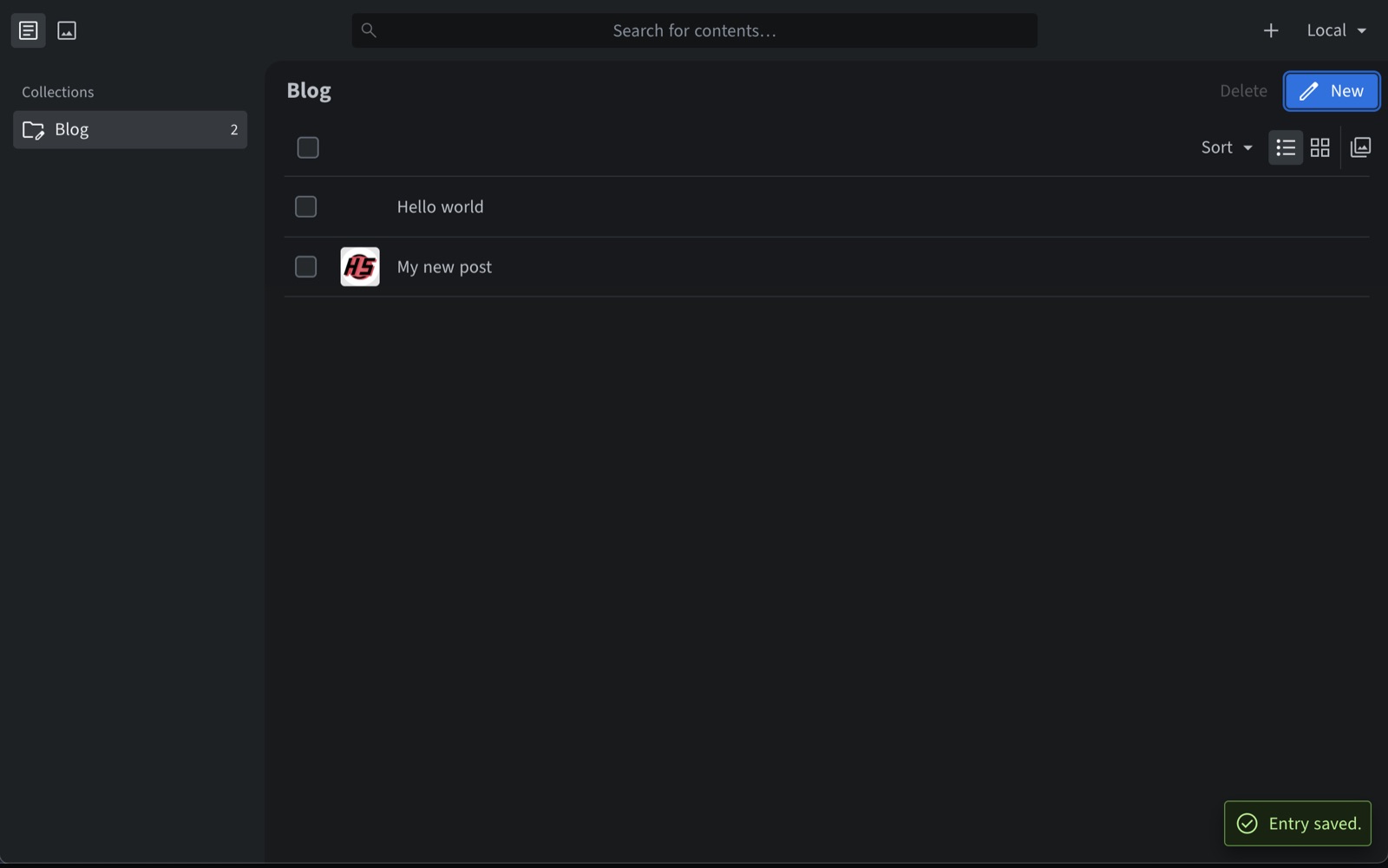
After Save, a new entry (here, My new post) joins the list with its hero image as a thumbnail.
How to set up Sveltia CMS on Astro
These steps follow Sveltia's Astro integration guide.
1. Add the admin page to public/admin
Create public/admin/index.html:
<!doctype html>
<html>
  <head>
    <meta charset="utf-8" />
    <meta name="robots" content="noindex" />
    <title>Content Manager</title>
  </head>
  <body>
    <script src="https://unpkg.com/@sveltia/cms@0.258.1/dist/sveltia-cms.js"></script>
  </body>
</html>
The docs load @sveltia/cms without a version; on a client site we'd pin one while breaking changes are still possible, and bump it after testing. No stylesheet link or type="module" is needed.
Why not src/pages/admin.astro? Astro's dev server reloads an Astro page whenever a file changes, and a reload mid-save to a local repository can leave a file empty or a stray .sveltia-tmp-* file behind. A static file in public isn't reloaded, so the admin lives there even if you install Sveltia from npm.
2. Know which URL to open
Astro's dev server doesn't serve index.html for a folder path in public, so in development open /admin/index.html. On the built site, most hosts serve it at /admin/ as usual. If your layout uses <ClientRouter /> for view transitions, add data-astro-reload to any link pointing at the admin:
<a href="/admin/" data-astro-reload>Edit content</a>
3. Map a Sveltia collection to an Astro content collection
Here's a typical blog collection in src/content.config.ts:
import { defineCollection } from "astro:content";
import { glob } from "astro/loaders";
import { z } from "astro/zod";

const blog = defineCollection({
  loader: glob({ pattern: "**/*.md", base: "./src/content/blog" }),
  schema: ({ image }) =>
    z.object({
      title: z.string(),
      description: z.string().optional(),
      pubDate: z.coerce.date(),
      heroImage: image().optional(),
      tags: z.array(z.string()).optional(),
    }),
});

export const collections = { blog };
And the matching public/admin/config.yml:
backend:
  name: github
  repo: your-org/client-site
  branch: main

media_folder: public/images
public_folder: /images

output:
  omit_empty_optional_fields: true

collections:
  - name: blog
    label: Blog
    folder: src/content/blog
    path: "{{slug}}/index"
    media_folder: ""
    public_folder: ""
    create: true
    fields:
      - { name: title, label: Title }
      - { name: description, label: Description, required: false }
      - { name: pubDate, label: Publish Date, widget: datetime }
      - { name: heroImage, label: Hero Image, widget: image, required: false }
      - { name: tags, label: Tags, widget: list, required: false }
      - { name: body, label: Body, widget: markdown }
The folder matches the loader's base, and each Zod field has a config field with the same name. Keep the two in step; a required field the config doesn't offer is a build failure waiting for the client's first save.
4. Turn on omit_empty_optional_fields
This is the setting most Astro setups trip over. Leave an optional field empty and Sveltia writes an empty value into the front matter (description: "", tags: []); Zod's .optional() accepts a missing key but rejects those, and the build fails with "data does not match collection schema". The output block above leaves empty optional fields out of the file entirely. It's one line, and it saves a confused phone call.
5. Decide where images go
The choice decides whether Astro optimizes the client's images:
- A folder per post (the config above):
path: "{{slug}}/index"with empty collection-levelmedia_folderandpublic_foldersaves each post assrc/content/blog/my-post/index.mdwith its images next to it. Astro'simage()helper can then resize and convert them at build time. - Single files with a shared folder: drop
path,media_folderandpublic_folderfrom the collection, and images land inpublic/images. Astro serves files inpublicas they are, so usez.string()instead ofimage()for the hero image.
We'd pick the folder-per-post layout for a client site, since clients upload whatever their phone produced.
6. Test it locally
Run npm run dev, open http://localhost:4321/admin/index.html, choose "Work with Local Repository" and select the project folder. Sveltia uses the browser's File System Access API, so there's no decap-server proxy to run, but that API exists only in Chromium browsers (Chrome, Edge, Brave with a flag). By default it only writes files; it can commit each save for you (Settings > Developer > Commit Changes to Git), but you push with Git yourself.
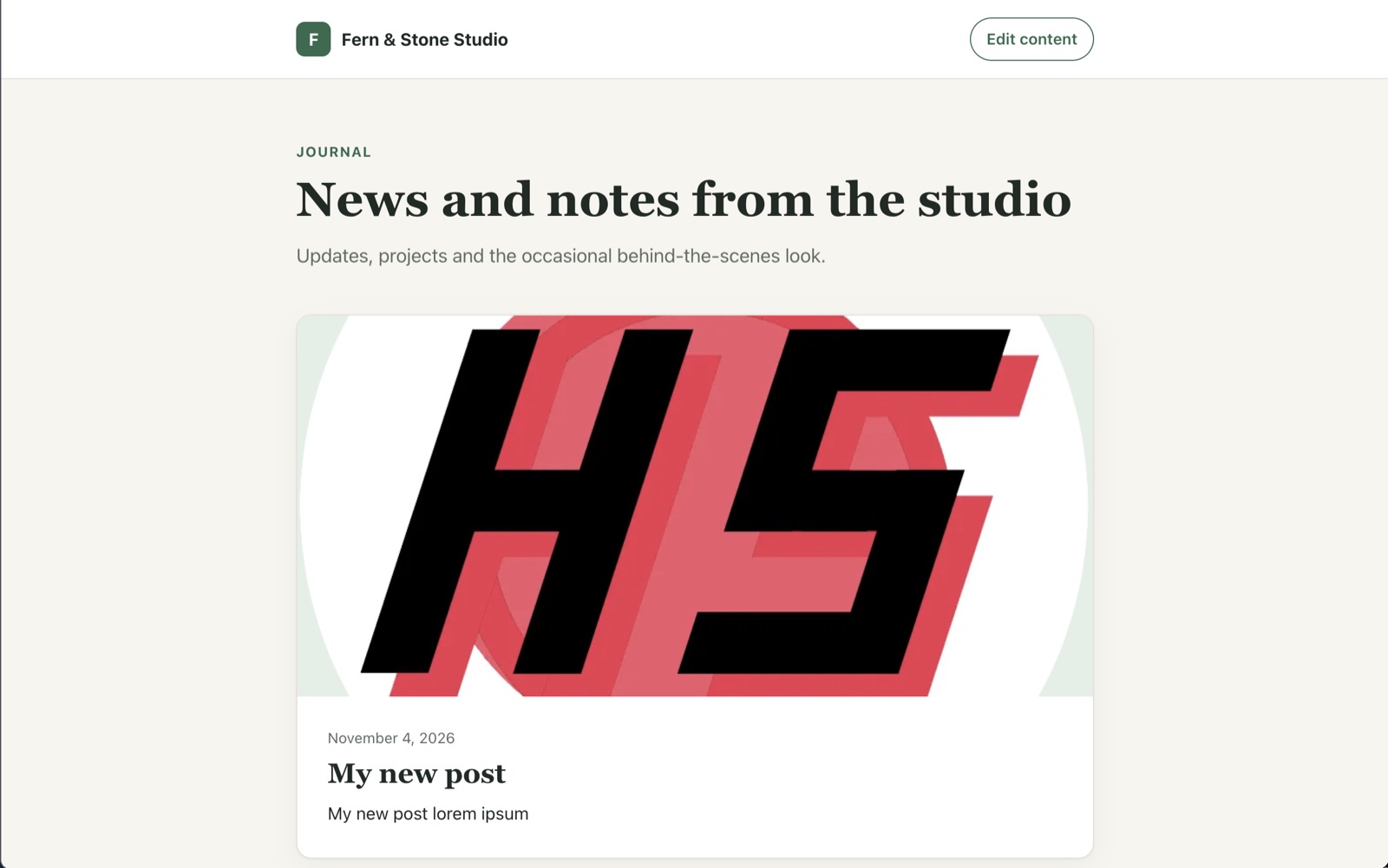
We ran the three files from steps 1 and 3 as written on November 4, 2026 (Astro 7.4.5, Sveltia 0.258.1, local mode in Chrome): a new post saved as src/content/blog/my-new-post/index.md with the uploaded image beside it, and its bare-filename heroImage passed the image() schema and rendered on the page. The page below is the test site's index with some basic styling of our own; Sveltia only edits content, so the layout is whatever your Astro templates make it. That test didn't cover GitHub sign-in, commits or the deploy workflow further down.
How do editors sign in to Sveltia CMS?
On the GitHub backend, every editor needs a GitHub account with write access to the repo: the Write, Maintain or Admin role, directly or through an organization team, per Sveltia's GitHub backend docs. Check this before you promise the client anything. "Users with read-only access can't sign in", unless you turn on Open Authoring, which has them work on a fork and send pull requests. Sveltia has no users or roles of its own yet.
Write access is a trust decision too. It covers the whole repo, workflow file included, which is one more reason to limit the deploy token to this site. To review the client's changes, require pull requests with at least one approving review on main: Simple Workflow collections then go read-only for that editor, while Editorial Workflow collections keep working on branches of their own. The client still sees a Publish button, and GitHub rejects the merge until you approve.
This is the dev server's sign-in screen; clients use Sign In with GitHub.
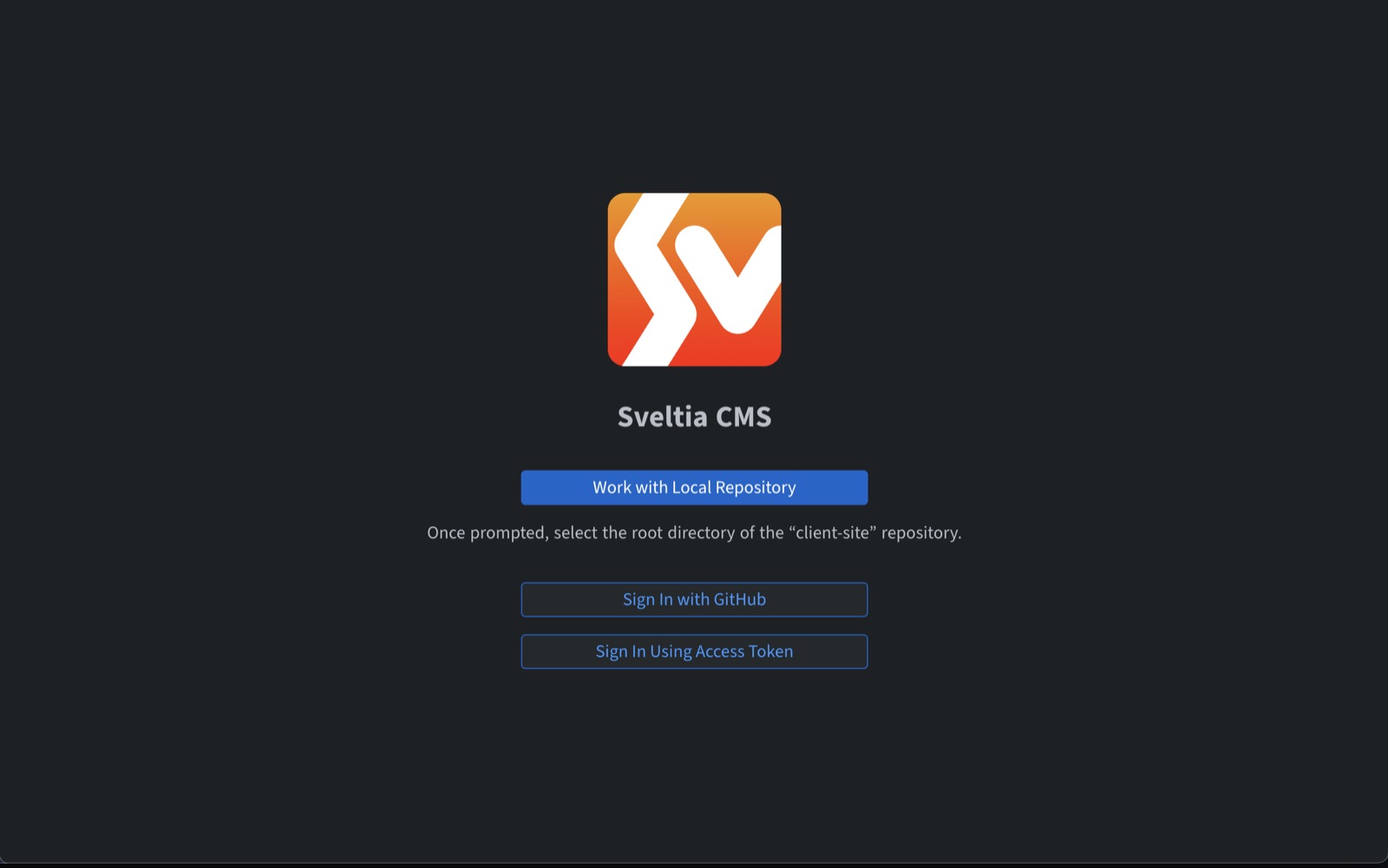
Token sign-in suits developers. "Sign In Using Access Token" takes a fine-grained personal access token with Contents read and write (plus Pull requests for Editorial Workflow), and the docs pitch it for "you or a small team of developers". Asking a client to generate a token is a good way to end up generating it for them.
For clients, run the authenticator yourself. Sveltia's OAuth helper, sveltia-cms-auth, is a Cloudflare Workers script that isn't offered as a hosted service; the README cites the legal, privacy and security liabilities. Four steps:
- Deploy the Worker (the README has a deploy button, or run
wrangler deploy) and note its URL,https://sveltia-cms-auth.<subdomain>.workers.dev. - Register a GitHub OAuth app with the callback URL set to
<worker-url>/callback. If the repo belongs to an organization, register the app under it, where it's approved automatically; new organizations restrict OAuth apps by default, so an app under your personal account needs an org owner's approval, or the client signs in and Sveltia can't read or commit. - Add
GITHUB_CLIENT_IDandGITHUB_CLIENT_SECRET(encrypted) to the Worker's variables, plusALLOWED_DOMAINSset to the client's domain, which the README strongly recommends. - Point the CMS at it:
backend:
  name: github
  repo: your-org/client-site
  branch: main
  base_url: https://sveltia-cms-auth.<subdomain>.workers.dev
Two other options: with base_url unset, Sveltia uses Netlify as the OAuth provider, which only helps if the site is on Netlify, and third-party OAuth clients built for Decap work too. PKCE sign-in on GitHub, which would remove the Worker, is waiting on GitHub's side.
GitLab already has it. Sveltia's GitLab backend docs recommend PKCE for "multiple users or non-technical users": register a GitLab OAuth app with Confidential unchecked, the api scope and your /admin/ URL as the redirect, set auth_type: pkce and app_id, and there's no server to run. A client who's fine with a GitLab account (Developer role or higher) skips the Worker, and GitLab CI replaces the workflow below.
From save to live: build and deploy with GitHub Actions
Each save is a commit to main, so the rest is ordinary CI: build on every push and upload dist/. This uses the Hostsmith SDK, but the shape works with any static host that has an API or CLI (our GitHub Pages alternatives roundup lists a few).
Install the SDK as a dev dependency (it needs Node.js 20 or later):
npm install --save-dev @hostsmith/sdk
Add scripts/deploy.mjs:
import { Hostsmith } from "@hostsmith/sdk";

const client = new Hostsmith({
  apiToken: process.env.HOSTSMITH_TOKEN,
  userAgent: "client-site-ci/1.0.0",
});

const result = await client.sites.deploy(process.env.HOSTSMITH_SITE_ID, "./dist");
console.log(`Deployed version ${result.versionId} (${result.status})`);
The SDK uses the token creator's home region by default, so if your Hostsmith account's home region is the EU and the site is in the US (where new Free, Starter and Pro sites are created), pass partition: "us" to the constructor. The log prints processing; the new version goes live when processing finishes.
And .github/workflows/deploy.yml:
name: Deploy

on:
  push:
    branches: [main]
  workflow_dispatch:

concurrency:
  group: deploy
  cancel-in-progress: false

jobs:
  deploy:
    runs-on: ubuntu-latest
    permissions:
      contents: read
    steps:
      - uses: actions/checkout@v7
      - uses: actions/setup-node@v7
        with:
          node-version: 24
          cache: npm
      - run: npm ci
      - run: npm run build
      - run: node scripts/deploy.mjs
        env:
          HOSTSMITH_TOKEN: ${{ secrets.HOSTSMITH_TOKEN }}
          HOSTSMITH_SITE_ID: ${{ vars.HOSTSMITH_SITE_ID }}
The concurrency block matters more than it looks: a client who saves three posts in a row triggers three runs, and this stops them racing. A newer waiting run replaces an older one and builds the latest commit, so nothing is lost.
The workflow deploys to a site that already exists, so create it first (the first upload does). Then create an API token under Developers -> API Tokens with only the sites:read and files:write scopes, limited to that one site. It starts with hsat_ and is shown once; save it as a repository secret named HOSTSMITH_TOKEN. Because the token sees only that site, one call to sites.list() prints the site's ID:
HOSTSMITH_TOKEN=hsat_... node --input-type=module -e 'import { Hostsmith } from "@hostsmith/sdk"; const { sites } = await new Hostsmith({ apiToken: process.env.HOSTSMITH_TOKEN }).sites.list(); console.log(sites[0].id)'
Save that ID in a repository variable named HOSTSMITH_SITE_ID (the partition: "us" rule above applies to this call too). The authentication guide covers token options and the SDK docs cover the deploy call.
To put the site on the client's own domain, Hostsmith needs the Pro plan or higher, which is $15 a month billed yearly or $21 billed monthly as of November 2026 (pricing).
Sveltia CMS vs Decap CMS vs Pages CMS vs Keystatic: pick by how editors sign in
Decap is still maintained, so Sveltia isn't the only live option. As a Decap CMS alternative, it's the faster rewrite of the same idea: its docs put the bundle under 800 KB minified and gzipped against Decap's 1.4 MB, and it fetches content in bulk through GitHub's GraphQL API. For a working Decap site, migration is mostly a script tag swap. Across all four tools, the row that decides it for a client site is how editors sign in.
Checked November 4, 2026
| Sveltia CMS | Decap CMS | Pages CMS | Keystatic | |
|---|---|---|---|---|
| License and cost | MIT, no paid tier | MIT, no paid tier | MIT; hosted app at app.pagescms.org at no cost, or self-host | MIT; optional Keystatic Cloud, free up to 3 users per team, Pro from $10/mo |
| Where it runs | Static page in /admin, loaded from a CDN | Static page in /admin | Hosted web app, Vercel or self-hosted | Admin route in your Astro app, needs an SSR adapter |
| Git hosts | GitHub, GitLab, Gitea/Forgejo | GitHub, GitLab, Gitea, Forgejo, Bitbucket, Azure, Git Gateway | GitHub | GitHub (plus local mode) |
| How editors sign in | Git host account with write access; on GitHub, OAuth through your own Cloudflare Worker or a token; on GitLab, PKCE with no server | Git host account; OAuth through Netlify or your own OAuth client, or Netlify Identity through Git Gateway | GitHub account, or an email invite with no GitHub account | GitHub account in GitHub mode; Keystatic Cloud without one |
| Config | config.yml (Decap format) | config.yml | .pages.yml | keystatic.config.ts |
| Latest release | v0.258.1, Nov 3, 2026 | 3.17.3, Oct 26, 2026 | 2.1.8, Jun 8, 2026 | @keystatic/core 0.6.9, Aug 26, 2026 |
| Status | Beta; roadmap targets 1.0 in late 2026 | Stable 3.x | Stable 2.x | 0.x releases |
Sources: Sveltia's docs and roadmap, Decap's backends overview, Pages CMS collaborators docs, Keystatic's Astro install guide and Cloud docs, and each project's GitHub or npm releases.
When another tool fits better
- The client won't get a GitHub account. Pages CMS invites collaborators by email, so the editor never sees GitHub.
- Many editors and roles. Sveltia has no roles yet (they're planned for a server-side add-on), so ten editors and content feeding an app call for a hosted headless CMS; our best CMS for Astro comparison puts Sanity and Storyblok next to TinaCMS and CloudCannon.
- You want TypeScript config and don't mind server rendering. Keystatic's schema lives in code, and Keystatic Cloud covers editors without GitHub accounts, up to three per team on its free plan.
- You depend on Bitbucket, Azure DevOps, Git Gateway or
editor.visualEditing. Stay on Decap for now. - The client edits a few times a year. A CMS is one more thing to maintain, and an email to the developer is cheaper, a point our Webflow alternatives guide makes about exported sites.
Sveltia CMS FAQ
Is Sveltia CMS a replacement for Decap CMS (formerly Netlify CMS)?
For most setups, yes: it reads Decap's config.yml, and switching usually means changing the script tag. The exceptions are sites using Git Gateway or Netlify Identity, Bitbucket or Azure DevOps, Git LFS on GitHub, or editor.visualEditing.
Does Sveltia CMS work with Astro content collections?
Yes. Point a folder collection at your glob() loader's directory, mirror the Zod schema in the fields, and set omit_empty_optional_fields: true so empty optional fields don't fail validation.
Is Sveltia CMS free?
Yes, it's MIT-licensed with no paid tier. Your costs are hosting and, for client sign-in on GitHub, a Cloudflare Worker, and the Workers free plan's 100,000 requests a day (November 2026) are far more than sign-in uses.
Should I use Sveltia CMS or Decap CMS?
Decap if you want a stable 3.x release or rely on something only Decap supports. Sveltia if you want the faster editor and can run a beta you pin and update deliberately. A Decap site that works has no reason to rush.
Do editors need a GitHub account?
On the GitHub backend, yes, with write access to the repository; GitLab and Gitea/Forgejo use their own accounts. With no Git account at all, look at Pages CMS email invites or Keystatic Cloud.
Is Sveltia CMS stable enough for production?
It's beta, though many sites already run it in production. Pin the version in index.html, try new releases on a branch first, and read the release notes until 1.0 ships.
The boring setup that keeps working
A Git-based CMS is an old idea that keeps coming back because it ages well: the content is Markdown in a repo, the site is static files, and if the editor ever goes away the client still owns everything. Sveltia gives that setup a modern editor; the price is a GitHub account per editor plus one small Worker you look after. If that's acceptable for your client, it's the Git-based option we'd pick for Astro right now.
Once the site builds, zip the dist folder and drop it at hostsmith.net for the first deploy, which also creates the site the workflow deploys to; the Free plan holds 5 MB, so an image-heavy build may need Starter or up.