
To publish a website you've already built, upload the folder's contents to a host with index.html at the top level, then open the address the host gives you and click through it.
This is how to upload a website you already have: a folder, an export, an AI tool's download. Nothing built yet? Start with how to build a website with Claude, then come back with files.
The upload is the tutorial level. On November 8, 2026, we ran a small test site through five routes, and none took more than about 30 seconds of machine time. The boss fight comes after, when the site works for you and breaks for the next person who opens it.
We built five of the six traps below into that test on purpose. The sixth showed up by itself and locked every stranger out.
What you need to publish a website (and what can wait)
How to host a website comes down to three things: the files, a host and an address.
- Files: your finished site, with
index.htmlas the homepage. - Host: in MDN's words, "rented file space" on a company's web server.
- Address: every route below handed us one straight away. A domain can wait.
The whole trip:
- Check the folder, with
index.htmlat the top. - Pick a host.
- Upload the folder, or a zip of it. The host deploys it, meaning it puts your upload live.
- Open the address and click through every page.
Check your HTML folder before you upload it
To publish a website with HTML files, the folder should look like this:
my-site/
  index.html
  about.html
  css/style.css
  img/hero.jpg
Four quick checks:
- Is this the site, or the project that makes the site? See
package.jsonandsrc/? That's the project. Build it, then publish the output folder the build creates. - Does it need a server? A database, logins or server code put it outside this guide.
- Is it really a folder? For one page, see how to host an HTML file online. Still on WordPress? Export it to static files first. Leaving Mozilla Solo? Save your Mozilla Solo site and the images its export leaves out first.
- How big is it? Checked November 2026: Cloudflare's dashboard takes 1,000 files at 25 MiB each. GitHub Pages sites can be up to 1 GB, with browser uploads at 100 files at a time and 25 MiB each. Hostinger's guide puts its importer at 256 MB (we didn't check the importer we used). Hostsmith's Free plan holds 5 MB.
How to upload a website: five routes tested on November 8, 2026
The clock doesn't pick a winner here. What each host did with the files does.
Four routes took the same folder as a zip: 3 pages, a custom 404.html, CSS and images on absolute paths, and one PDF, about 4.8 MB (4.7 MB zipped). GitHub took a text-only copy of it (pages and CSS, no images or PDF) through a branch.
Times are machine times, one run per route. The clock starts when the upload began on Netlify, Cloudflare and Hostsmith, at Continue on Hostinger, and at Save on GitHub. Human steps like signing up or naming a project aren't in them. For the drop-style tools alone, see drag-and-drop hosts compared.
| Route | Plan and path we used | Machine time | Address you get | Strangers can see it at once? |
|---|---|---|---|---|
| Netlify Drop | Free, signed in, zip on the Drop page | Under 8 s | random-name.netlify.app | No: 401 until Make public |
| GitHub Pages | Free, text-only copy pushed to a branch through GitHub's API | About 30 s after Save, push not timed | username.github.io/repo-name/ | Yes |
| Hostinger | Paid: Unlimited Web Hosting, Import site, zip | Under 15 s after Continue | Temporary random-name.hostingersite.com | Yes |
| Hostsmith | Paid: Agency, the upload API AI tools use (MCP), zip | About 16 s | your-site.us.hostsmith.link | Yes |
| Cloudflare Pages | Free, Direct Upload, zip | About 25 s, including the Deploy click | your-project.pages.dev | Yes |
Netlify Drop
What we did: signed in on a Free test account, opened app.netlify.com/drop and dropped the zip.
What happened: done within 8 seconds, at a random netlify.app address, with one easy-to-skim line: "It's deployed and currently visible only to your team."
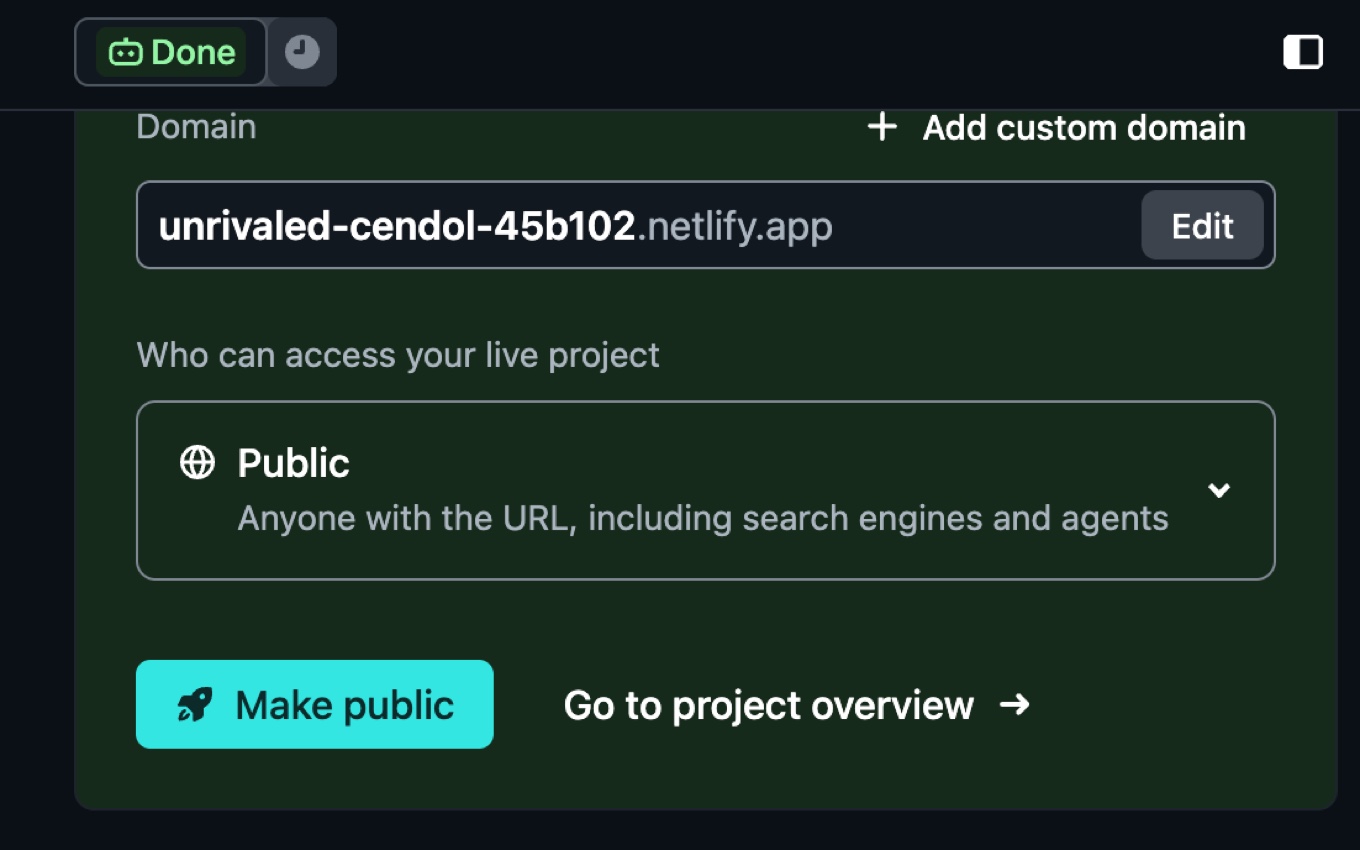
Watch for: strangers got a 401 until we clicked Make public, even with the card above it already reading Public (more below). Free has 300 credits a month, with a production deploy at 15 and a GB of bandwidth at 20, and hitting the limit pauses every project on the account. We didn't test the signed-out flow; Netlify's Drop docs say it sits behind a temporary password until claimed.
Suits: a link you need today. More on Netlify Drop limits and alternatives.
GitHub Pages
What we did: on a Free account, we pushed the text-only copy to a branch through GitHub's API, then Settings > Pages > Deploy from a branch > / (root) > Save.
Your route, per GitHub's docs (we didn't test the upload form): create a public repo, use Add file > Upload files, commit, then the same Settings steps.
What happened: the branch went live about 30 seconds after Save. GitHub warns it can take up to 10 minutes.
Watch for: the address ends in /repo-name/, and that broke our absolute paths. A repo named username.github.io serves from the root (untested). GitHub Free needs a public repo, and GitHub says Pages isn't allowed as hosting for an online business or e-commerce site.
Uploading a build or an AI tool's export? Branch publishing runs a tool called Jekyll, which skips folders that start with _, like _next or _astro. An empty .nojekyll file at the top turns it off, per that first page. We didn't test this.
Suits: portfolios and projects where a public repo is fine. See GitHub Pages alternatives if it isn't.
Hostinger (shared hosting)
What we did: on an Unlimited Web Hosting test account, hPanel > Websites > Import site > Upload your website files, picked a temporary domain, uploaded the zip and clicked Continue. It's paid: $2.79 a month on a 48-month term, paid up front at $133.92, renewing at $16.99, as of November 8, 2026.
What happened: "Your website is ready" within 15 seconds, public with no extra step.
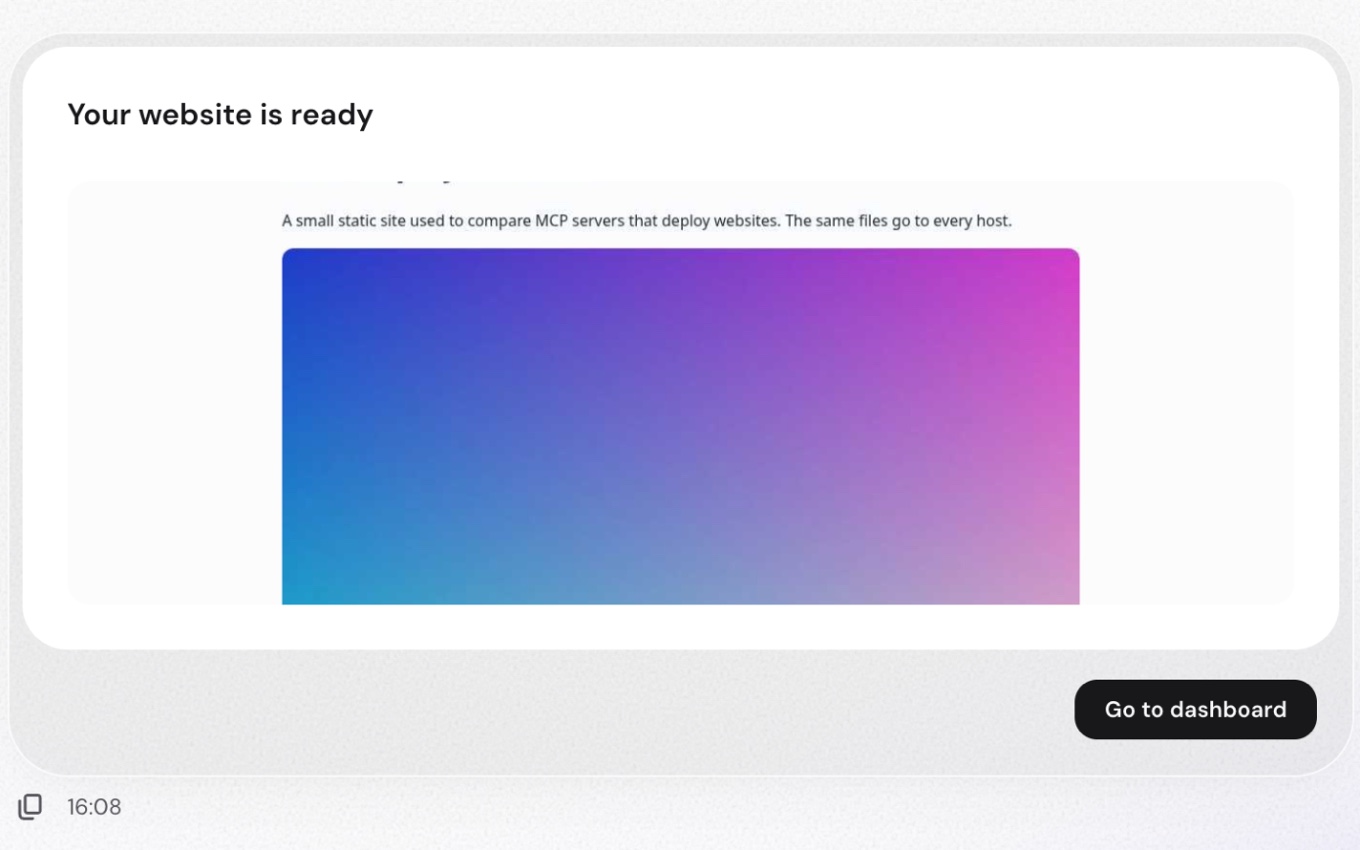
Watch for: /gallery returned 404, so links on this host need the .html. Our hero.jpg also came back at 24,139 bytes after going up at 57,756, so Hostinger re-compressed it. To upload a website by hand instead, which we didn't test, Hostinger's upload guide says the files belong in public_html.
Suits: you already have a shared hosting plan and want the site on it.
Hostsmith
What we did: this is the host we build, so weigh it that way. We used our own Agency account, a paid plan, and the MCP upload path, the upload API that AI tools use, with a zip that had index.html at the top.
What happened: live in about 16 seconds, API calls included, at blogtest.us.hostsmith.link, public at once. /gallery worked without the .html.
Watch for: we ran neither the Free plan nor the homepage drop box. On paper, as of November 2026, Free is 1 site, 5 GB of monthly bandwidth, and Hostsmith branding. The browser upload takes a ZIP or one file, so zip the folder first.
Suits: a folder under 5 MB, the most Free holds, that has to work for strangers the moment it's up.
Cloudflare Pages
What we did: on a Free account, Workers & Pages > Create > Direct Upload, named the project first, then uploaded the zip.
What happened: the browser unpacked it ("11/11 files uploaded"), we clicked Deploy, and the success message came about 25 seconds after the upload began. Public with no extra step.
Watch for: naming comes before the upload, and that name becomes the address. Cloudflare says a Direct Upload project can't switch to Git later. And as of November 2026, its Workers best practices page says: "If you are starting a new project, use Workers instead of Pages." Pages keeps working; new features go to Workers.
Suits: a bigger folder, updated by hand.
Updating it later
We only tested a second upload on Hostsmith, where the new deploy replaced every file. Per their docs, Netlify takes an updated folder under Production deploys, Cloudflare has Create a new deployment, and GitHub publishes whatever lands on the branch. Hostinger's guide doesn't say what a second import does.
Six traps when you publish a website for the first time
Six traps, from a missing index.html to a Netlify project that stays private. Symptoms first, then our results, then each fix.
| What you see | Likely cause |
|---|---|
| A plain "Files" page at the address (Hostsmith; other hosts untested) | No index.html |
Site only at /subfolder (Hostinger's guide warns of it; not reproduced) | A wrapped folder |
| No styling, nav links 404 | Absolute paths on a subpath |
| One broken image | Filename case |
| A deleted page is still there | Cache after a redeploy |
| A 401 for everyone else | A private Netlify project |
Same files, except GitHub's text-only copy, November 8, 2026:
| Route | Absolute path /css/style.css | Wrong-case file | Missing page | /gallery with no .html |
|---|---|---|---|---|
| Netlify Drop | Worked | Served anyway (200) | Site's own 404.html | 200 |
| GitHub project address | Broke (404) | 404 | Site's own 404.html | 200 |
| Hostinger | Worked | 404 | Hostinger's own page | 404 |
| Hostsmith | Worked | 404 | Hostsmith's own page | 200 |
| Cloudflare Pages | Worked | 404 | Site's own 404.html | 200 |
No index.html at the top
A zip whose main page was home.html opened on Hostsmith as a plain page titled "Files", linking each file. We ran this on Hostsmith only, so other hosts are untested.
Fix: name the homepage index.html and move it up.
A Mac zip with a folder inside
This one's easy to miss: the zip looks fine from the outside. On a Mac, Compress on one folder makes foldername.zip, with the folder inside. Select the files inside instead and you get Archive.zip.
Our run didn't fail: Hostsmith unwrapped a site/ folder plus __MACOSX/ extras, built with ditto to match Finder's layout. No other route got that zip. Hostinger's upload guide does warn that "an additional directory will be created" in some cases, sending visitors to yourdomain.com/subfolder.
Fix: select everything inside the folder, then Compress. Want to peek first? Here's how to unzip on a Mac.
Absolute paths on a GitHub project address
/css/style.css came back 404 on GitHub's project address: an unstyled page and broken nav links. The same path worked on the four routes that serve from the root of the address. GitHub's lives under /repo-name/, so the browser asked the host's root.
Fix: use relative paths like css/style.css, with ../ from a page in a subfolder. Our one-page guide has more on paths.
Filename case
Netlify served the wrong-case image with a 200. Hostsmith, Cloudflare Pages and Hostinger returned 404 for the same request: case-test.html pointing at img/Hero.JPG when the file is img/hero.jpg. GitHub's copy had no images, but a wrong-case /CSS/style.css got a 404 there too.
So a site can look fine on Netlify and break the day you move it.
Fix: match the name in your HTML to the file, letter for letter.
Old pages after a redeploy
After a deploy that removed files, Hostsmith kept serving a deleted /gallery.html for about 60 seconds before it turned 404. HTML is cached for a minute, CSS and images for 5 minutes at the edge and up to an hour in a browser. We measured this on Hostsmith only.
Fix: give it a minute for pages and about five for CSS and images. Still old? Hard-refresh, since browsers can hold CSS longer.
Netlify Drop's 401
A logged-out request to our signed-in drop got a 401 on every path, on a page titled "Login Redirect". After Make public, every path we checked worked. Think of an invite-only game lobby: you're in, so it looks fine, and nobody else can join.
The likely reason is in Netlify's visibility docs: teams created on or after July 28, 2026 start new projects private, and older teams default to Public. We didn't record when our test team was created.
Fix: click Make public, or find it under Project configuration > General > Visitor access.
Add your own domain when you are ready
Buy the name from a registrar, add it in your host's settings, then add the DNS records the host shows you. We didn't test custom domains on any route, Hostsmith included, so this comes from each host's docs, checked November 2026.
MDN puts a domain at $5-15 a year. Hostinger's guide says DNS can take up to 48 hours. You're done when the address starts with https and the browser shows no "Not secure" warning.
Netlify's Free plan includes custom domains with SSL. Cloudflare Pages allows 100 per project on Free. On Hostsmith, your own domain needs Pro, $15 a month billed yearly or $21 billed monthly. If DNS fights back, see the DNS errors in our Lovable domain guide.
Before you share the link: a short launch check
Before you launch a website, meaning before anyone gets the link, check it from a private window and a second device. You stay signed in to your host, so you can see a site strangers can't. That's how Netlify's 401 hides.
- Every page opens, with images and CSS loaded, and every link works.
- It reads well on a real phone.
Where to publish your website: does a stranger see what you see?
Cloudflare Pages, Hostinger and Hostsmith went public with no extra step, and served the pages, CSS, image and PDF at their real paths.
Two routes needed something first. Netlify Drop stayed locked until Make public, and Free tops out at 20 production deploys a month, fewer once bandwidth counts. GitHub's project address broke our absolute paths.
Hostinger's knock is the bill: $2.79 a month only on a 48-month term, renewing at $16.99.
On what we measured, Cloudflare Pages and Hostsmith both passed, and Cloudflare also served the folder's own 404.html.
For a folder that fits Free's 5 MB, we'd still start on Hostsmith, and yes, we build it, so price that in. What tips it is off the test sheet: Cloudflare's own docs now point new projects to Workers. The trade-offs: Free carries Hostsmith branding, your own domain needs Pro, the folder's 404.html went unused, and our run used a paid plan and the API.
Bigger folder, or your own domain on a no-cost plan? Go with Cloudflare Pages, which takes 1,000 files at 25 MiB each and, per those same docs, keeps working.
Either way, the upload was only ever the tutorial. Open the link signed out and click everything: that's the boss fight.
Folder ready? Drop your zipped folder at hostsmith.net, sign in to publish, and you'll have an address to click through before you send it to anyone.
Frequently Asked Questions
Q: How do I put my website on the internet for free?
A: Netlify's Free plan, GitHub Pages on a public repo and Cloudflare Pages cost nothing as of November 2026. Hostsmith's Free plan covers 1 site with 5 MB of storage and Hostsmith branding.
Q: How much does it cost to upload a website?
A: MDN says basic static hosting can be free or cost around 5 to 10 dollars a month, and a domain usually costs 5 to 15 dollars a year. The Hostinger plan we tested was 2.79 dollars a month on a 48-month term, renewing at 16.99 dollars, as of November 8, 2026.
Q: What is the easiest way to host a website?
A: A host that takes a zip in the browser. In our November 8, 2026 test, Netlify Drop took one dropped zip plus a Make public click before strangers could see it. Cloudflare Pages took a project name, a zip and a Deploy click, and was public at once.
Q: Can I publish a website without a domain?
A: Yes. All five routes we tested gave a working address with no domain of our own, and you can add one later.
Q: How long does it take a website to go live?
A: In our test, machine time ran from under 8 seconds on Netlify Drop to about 30 seconds on GitHub Pages. GitHub says Pages can take up to 10 minutes.
Q: Why isn't my website showing up on Google?
A: Being live doesn't put a site in Google's index. Google says noticing a new site can take a few weeks. Add it to Search Console and send your most important URLs, though Google doesn't promise to index them.