
All eight of these MCP servers can get a website online from Claude Code, but they don't all take your files the same way. On November 7, 2026 we deployed one small test site through Vercel MCP, Netlify MCP, Render MCP (render.com) and five more: Railway, Cloudflare, Hostinger, GitHub and Hostsmith. Hostsmith, Hostinger and Netlify took the folder (or its zip) straight from disk. Render, Railway and GitHub Pages needed it in a Git repo first. Vercel had the text pages ready 2.5 seconds after the call; Cloudflare only got them online as a hand-written Worker. Neither could carry a 1.5 MB image through the MCP call. We build Hostsmith, one of the eight, so we report its failures the same way as everyone else's.
Claude Code (or Cursor, or any MCP client) just wrote your site, and you want the agent to publish it. No site yet? Start with how to build a website with Claude or the vibe coding guide. Built it in Claude Design? Export the files first.
The short answer: which MCP server to use
- Already on Vercel or Netlify: keep their server for logs, domains and settings. Vercel's can't carry images; Netlify's needs a shell and kept answering 429 in our test.
- A folder of finished files, images included, URL now: Hostsmith (ours), or Hostinger if you already pay for it. Both took the zipped site as one HTTP upload, images and all.
- Site in a GitHub repo, no cost: GitHub Pages or Render. Expect
gitfor images and the GitHub CLI to switch Pages on (GitHub), or a manual redeploy call unless GitHub is connected to Render. - An app with a backend or a database: Railway or Render.
- A password on the site: no server set one on a free plan. Vercel and Netlify have the tool but refused on Hobby and Free.
- Cloudflare: use its CLI. Through the MCP server, only a hand-written Worker made it online.
MCP deploy servers compared: test results
Same test site, one Claude Code session, checked November 7, 2026. Plans as run: Vercel Hobby, Netlify Free, Render free, Cloudflare Workers Free, GitHub Free. Railway ran on a new account's personal workspace (its API doesn't show the plan), Hostinger on Unlimited Web Hosting (it has no free plan) and Hostsmith on our own Agency account. Free plan cells marked "docs" or "plan sheet" come from the vendor's pricing, not from this run.
| Server | Files go in as | v1 live (timed from) | v2 live (timed from) | 1.5 MB PNG | Free plan | Password via MCP | What failed |
|---|---|---|---|---|---|---|---|
| Vercel MCP | Inline in the tool call (text or base64) | 2.5 s to READY (create call) | under 6 s (create call) | No | Yes (Hobby) | Tool exists, Pro only (428) | Images as base64; teamId 403; deploy URL behind a login |
| Netlify MCP | Local folder, uploaded by an npx command | ~19 s (npx start) | ~9 s (npx start) | Yes | Yes, 15 of 300 credits per deploy (docs) | Tool exists, Pro only (422) | 429 on project create, deploy and status check |
| Render MCP | Git repo URL | ~32 s, all edges ~50 s (create call) | ~37 s (manual trigger) | Yes (via Git) | Yes (static sites) | No tool | No auto-deploy without GitHub connected; no delete tool |
| Railway MCP | Git repo or Docker image | ~46 s, stable ~69 s (create-project) | Failed on the same service | Yes (via Git) | $1 of credit a month (docs) | No | Builds a container; v2 needed a linked GitHub account, so a new service on a new URL |
| Cloudflare MCP | JavaScript against the API | ~2 min 14 s (Worker upload) | under 8 s (Worker upload) | No | Yes (Workers Free) | No | Asset uploads 401 and 403; had to embed the site in a Worker |
| Hostinger MCP | Zip uploaded with curl, or Git | ~7 s (upload start) | ~7 s (upload start) | Yes (CDN re-encodes it) | No free plan (docs) | None found | Git route needs a one-time hPanel setup; no custom 404 |
| GitHub MCP + Pages | Git commits, text only | 47 s (enabling Pages) | ~34 s (commit) | Via the git CLI | Yes (public repo) | No | No Pages tool; no binary files |
| Hostsmith MCP | Inline text, or a presigned upload | ~27 s (create_site) | ~43 s (upload call) | Yes | Yes, 1 site, 5 MB (plan sheet) | No (dashboard, Starter and up) | No custom 404; deleted files cached ~90 s |
How we tested
- The site: two HTML pages, a stylesheet, a
404.htmland two PNGs, 401 bytes and 1.5 MB. The big PNG is random noise, so it doesn't compress. Plain HTML, no build step. - The session: one Claude Code session with all eight servers connected, the agent making every call. Every test ran in Claude Code; none ran in claude.ai. Netlify and Hostinger needed a second round later that day.
- The checks: each time runs from the step named in the table to the first HTTP 200 with the right page, polled with curl. The exception is Vercel's v1, timed to READY: its production domain was first checked about 2 minutes 40 seconds later, after the login-wall detour, and served v1. Then a v2 redeploy, a missing path, a hash check on the big PNG, and the password tool wherever one existed.
How to add an MCP server to Claude Code
Below are the server URLs from our session as claude mcp add lines, with --scope user so each server loads in every project (Claude Code's MCP docs explain the scopes).
# OAuth servers: run /mcp in Claude Code afterwards and sign in in the browser
claude mcp add --transport http --scope user vercel https://mcp.vercel.com
claude mcp add --transport http --scope user netlify https://mcp.netlify.com/mcp
claude mcp add --transport http --scope user cloudflare https://mcp.cloudflare.com/mcp
claude mcp add --transport http --scope user hostinger https://mcp.hostinger.com
claude mcp add --transport http --scope user hostsmith https://mcp.hostsmith.net/mcp

# Token servers: paste your own key
claude mcp add --transport http --scope user render https://mcp.render.com/mcp \
  --header "Authorization: Bearer <RENDER_API_KEY>"
claude mcp add --transport http --scope user github https://api.githubcopilot.com/mcp/ \
  --header "Authorization: Bearer <GITHUB_TOKEN>"

# Railway runs through its CLI, signed in with `railway login`
claude mcp add --scope user railway -- railway mcp
The Railway line follows Railway's railway mcp docs; the -- separates Claude Code's flags from the command. Render and Hostinger also ship Claude Code plugins that do the OAuth setup for you: /plugin install render@claude-plugins-official and /plugin install hostinger@claude-plugins-official.
Should you add all eight? Claude Code MCP servers vary wildly in tool count: Vercel exposes 200+ tools, Railway about 70, Hostsmith 9, Cloudflare and Hostinger 4 or fewer. Add the host you deploy to. Fewer look-alike tools, fewer wrong picks.
Vercel MCP
The Vercel MCP server is Vercel's official remote server at https://mcp.vercel.com, with OAuth. The deploy tool is create_deployment, and for text files it was quick: the first deployment was READY 2.5 seconds after the call, the fastest to READY in the test, with no build. The v2 redeploy showed up on the production domain within 5.5 seconds.
Three things trip people up the first time through:
- Binaries go into the call as base64.
create_deploymentandupload_fileboth want the bytes as a base64 string in the tool call. Our 1.5 MB PNG is about 2 million characters for the model to type out, so it never went, and pointing at it by hash returned400: missing_files. Even the 401-byte logo came out wrong: the model's base64 was off by a few characters, and Vercel served a 404-byte file with a different hash. - The URL the tool returns sits behind a login. New projects get Vercel Authentication on every URL except the production domain, so the deployment URL in the response redirected to vercel.com/login. Hand people the
*.vercel.appproduction domain, and check its name first: ours came out asmcp-deploy-test-one.vercel.app, because the plain project name was taken. - Team scope. Passing an explicit
teamIdfailed with403: forbidden ... You must re-authenticate to this scope. Leaving it out worked.
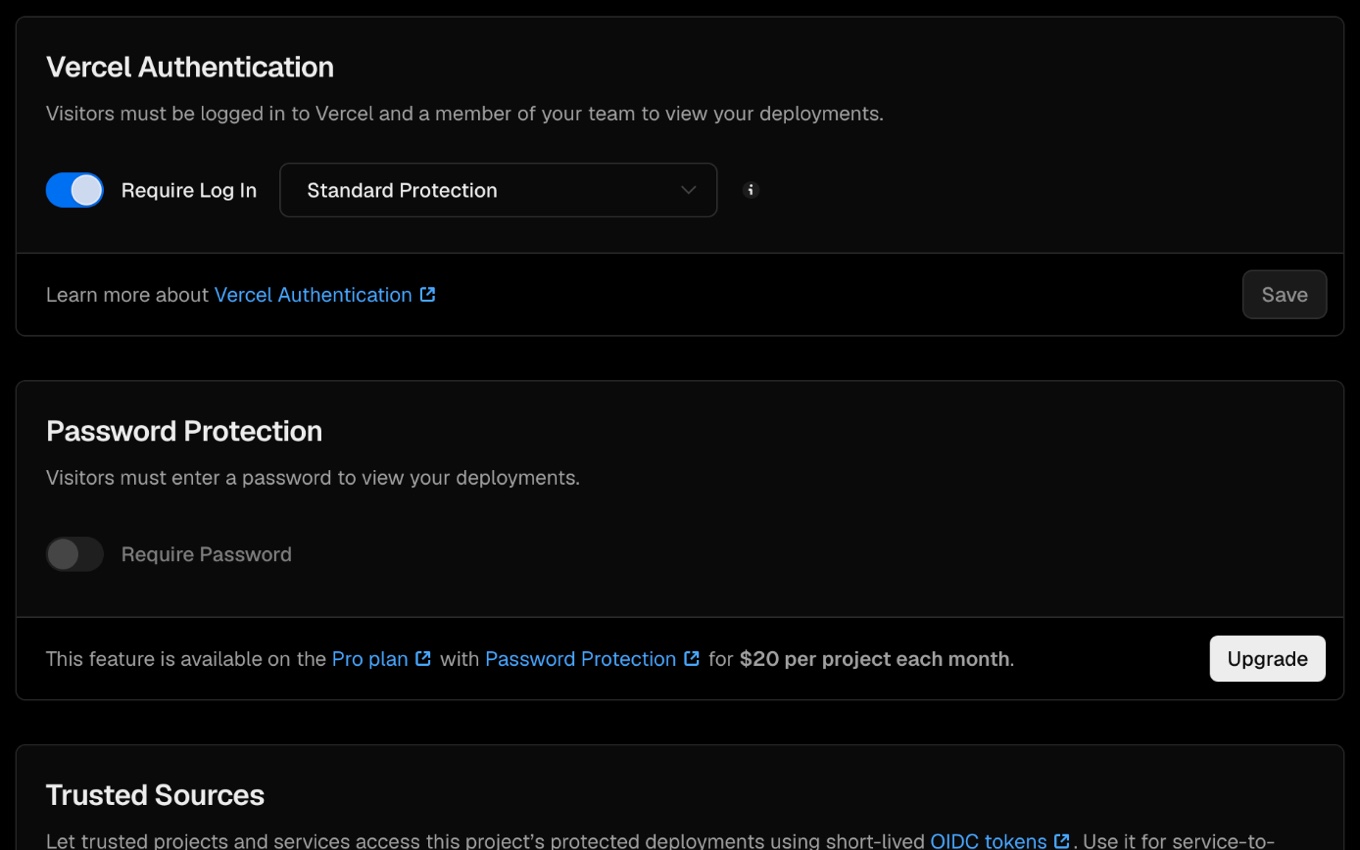
Custom domains work on Hobby through add_project_domain and verify_project_domain. A password doesn't: update_project answered 428 ... Password Protection requires a Pro plan, which Vercel's docs price at $20 per protected project a month, as of November 2026 (what that costs, and another way). There's no delete tool either. pause_project took the site offline (it answered 503), and deleting the project takes the dashboard.
For a site with images, use the Vercel CLI: Vercel's own server instructions say to fall back to it when MCP lacks an operation.
Netlify MCP
The Netlify MCP server lives at https://mcp.netlify.com/mcp with OAuth (the older netlify-mcp.netlify.app/mcp still works, per Netlify's docs).
The part the docs skip: deploy-site doesn't deploy. It returns a shell command, npx -y @netlify/mcp@latest --site-id <id> --proxy-path "<one-time URL>", that zips your folder locally, uploads it and runs a Netlify build. So you need a shell and Node. Claude Code has one more hurdle: in auto mode, its classifier blocked that npx run as "Code from External". It went through once we approved it.
Once the command ran, it was quick and complete: v1 live about 19 seconds after npx started, the 1.5 MB PNG intact, the site's own 404 page working, and v2 live in about 9 seconds.
Getting there took two test rounds. Netlify kept answering 429 for about an hour:
create-new-projectfailed five times withFailed to create project: 429, so the project was created by hand in the dashboard.- The first npx run died with
Failed to deploy site: 429 Too Many Requests. - The next printed
Error fetching deploy status: Too Many Requestsand quit, while the deploy had gone live. An agent reading that reports a failure that's really a success.
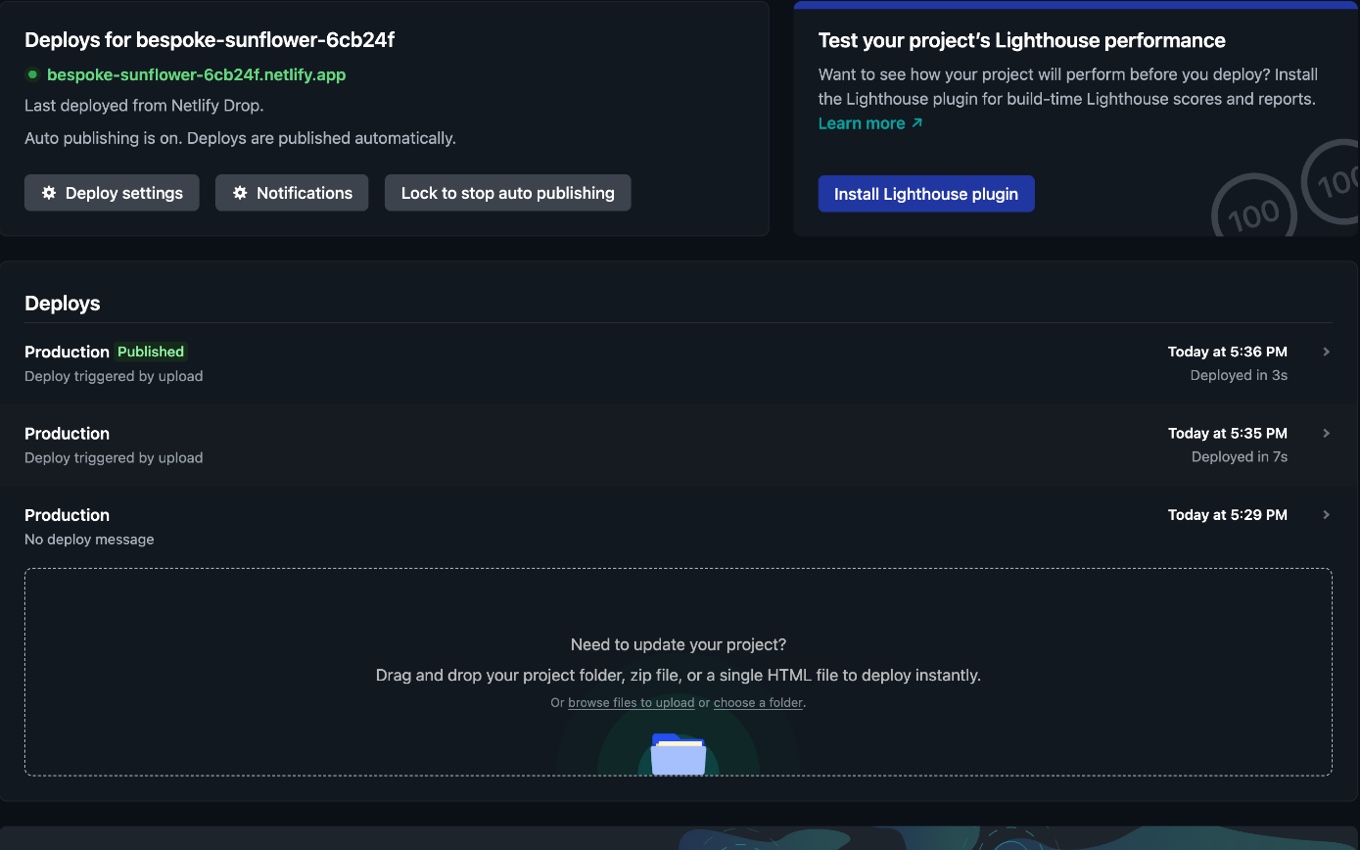
Free plan math, as of November 2026: 300 credits a month and 15 per production deploy, so about 20 deploys before every project pauses behind a "Site not available" page. An agent that redeploys after every tweak burns through that fast. Netlify also injected a comment and a script into every HTML page on the Free project. The password tool, update-visitor-access-controls, answered Failed to fetch API: 422; Netlify's docs put site passwords on Pro (the workaround). No agent at all? See Netlify Drop alternatives.
Render MCP
The Render MCP server, from Render (render.com), runs at https://mcp.render.com/mcp, with OAuth through its Claude Code plugin or an API key in a header. Render's docs are upfront about the limits: changes to existing services stop at triggering a deploy and updating environment variables, and "to perform other modifications or deletions, use the Render Dashboard or REST API."
The first deploy took 2 calls, list_workspaces and create_static_site, with two first-run snags:
- Pick a workspace or nothing works. The server refuses to guess, so every call carries a
workspaceId. buildCommandis required, even for plain HTML.echo no builddid the job.
It's Git only. There's no upload tool, so the site has to sit in a repo first. A public GitHub repo URL worked without connecting GitHub to Render. The first 200 came about 32 seconds after the create call, and every edge served it correctly at about 50. The big PNG matched byte for byte, and the site's 404 page worked.
Then the gotcha. We pushed v2 and nothing happened. With GitHub not connected, no push webhook reaches Render, even though the service says auto-deploy is on. A manual trigger_deploy fixed it, live 37 seconds later.
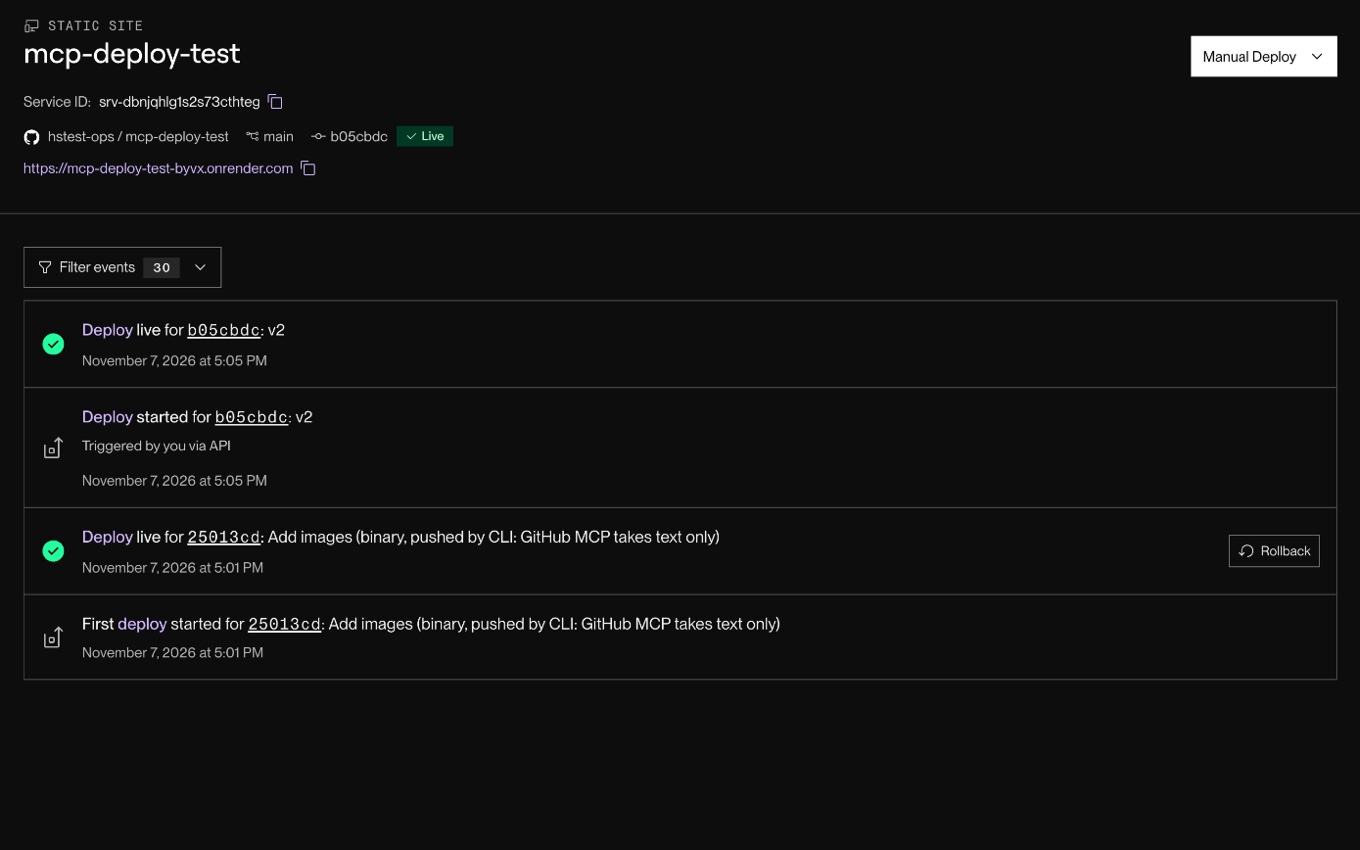
Static sites are free on Render, custom domains included, per its docs as of November 2026. But the MCP server has no domain tool, no password tool and no delete tool: our test site was still serving at cleanup, and deleting it takes the dashboard.
Railway MCP
The Railway MCP server now ships inside the Railway CLI as railway mcp (CLI 5.44.0 or later), a local bridge that connects your editor to mcp.railway.com. Editors that sign in with OAuth can connect to mcp.railway.com directly. railway setup agent configures skills, server and credentials in one command. The CLI route reuses your railway login, and project tokens are rejected.
We ran it through the CLI. For claude.ai, use the hosted URL or Railway's directory connector.
Railway is an app host, and it shows. create-project, create-deployment from the repo, then generate-domain, because there's no URL until you ask. First 200 about 46 seconds after create-project, stable at about 69. Under the hood, Railway built our static site into a 57.6 MB container running the Caddy web server: an always-on container billed by usage, serving six static files.
The redeploy is where it fell over. Without a GitHub account linked to Railway, pushing v2 didn't deploy. connect-service-source returned No GitHub account linked, and redeploy rebuilt the old commit. The only MCP route to v2 was a brand-new service: live in 29 seconds, on a new URL. Like respawning at a different checkpoint.
Plans, as of November 2026: Free with $1 of credit a month, a one-time $5 trial, or Hobby at $5 a month including $5 of usage. generate-domain also attaches custom domains (2 per service on Hobby). No passwords: Railway's sign-in wall sits on committed-spend plans.
Cloudflare MCP
Cloudflare's server at https://mcp.cloudflare.com/mcp (OAuth) works in "code mode": four tools, search, execute, docs and whoami, and the agent writes JavaScript against the whole Cloudflare API. There's no deploy tool, so the question was whether a static site gets through at all.
Sort of. It took 11 calls:
- Workers static assets: the upload session opened, then the upload answered
401 Unauthorized, with the hint "Cloudflare did not accept this connection's credentials. Reconnect to sign in again." We didn't reconnect and retry. - Pages direct upload: the project was created and the upload answered
403 Authorization failed. The deployment still reported "success", and the site served HTTP 500, since no files had arrived. - Pulling files from GitHub inside
executewas blocked too: the sandbox only reaches Cloudflare's API.
What worked was the agent writing a small Worker with the pages embedded in its code as strings. Live on workers.dev about 2 minutes 14 seconds after that upload, most of it waiting for the new subdomain's DNS. Redeploys took under 8 seconds. But that's a tiny hand-written web server: no images (the base64 logo came out corrupted, same as on Vercel), and plain http:// answered without redirecting to HTTPS.
Per Cloudflare's docs, as of November 2026, Workers static hosting takes files up to 25 MiB. Just not through this server, in our test. For a real Cloudflare deploy, use its CLI, Wrangler.
Hostinger MCP
The Hostinger MCP server is remote at https://mcp.hostinger.com, with OAuth on first use. Like Cloudflare's, it's code mode: search finds an API operation and execute runs it.
You need a paid plan; Hostinger has no free tier and no trial. As of November 7, 2026, web hosting starts at Premium: $1.99 a month on a 48-month term ($95.52 up front), renewing at $10.99 a month.
The documented route, hosting_deploy, deploys from Git. It failed on the first call:
No active Git installation. Connect GitHub or GitLab once in hPanel (Websites, Manage, Advanced, Git), then try again.
So unlike Render and Railway, a public repo isn't enough for hosting_deploy. There's a one-time setup in hPanel that the agent can't do for you. A separate operation, hosting_git_deploy-website-repository, clones a public repo without that setup, per its description. We didn't try it: the server's instructions tell agents not to run Git operations by hand, and it needs an empty directory.
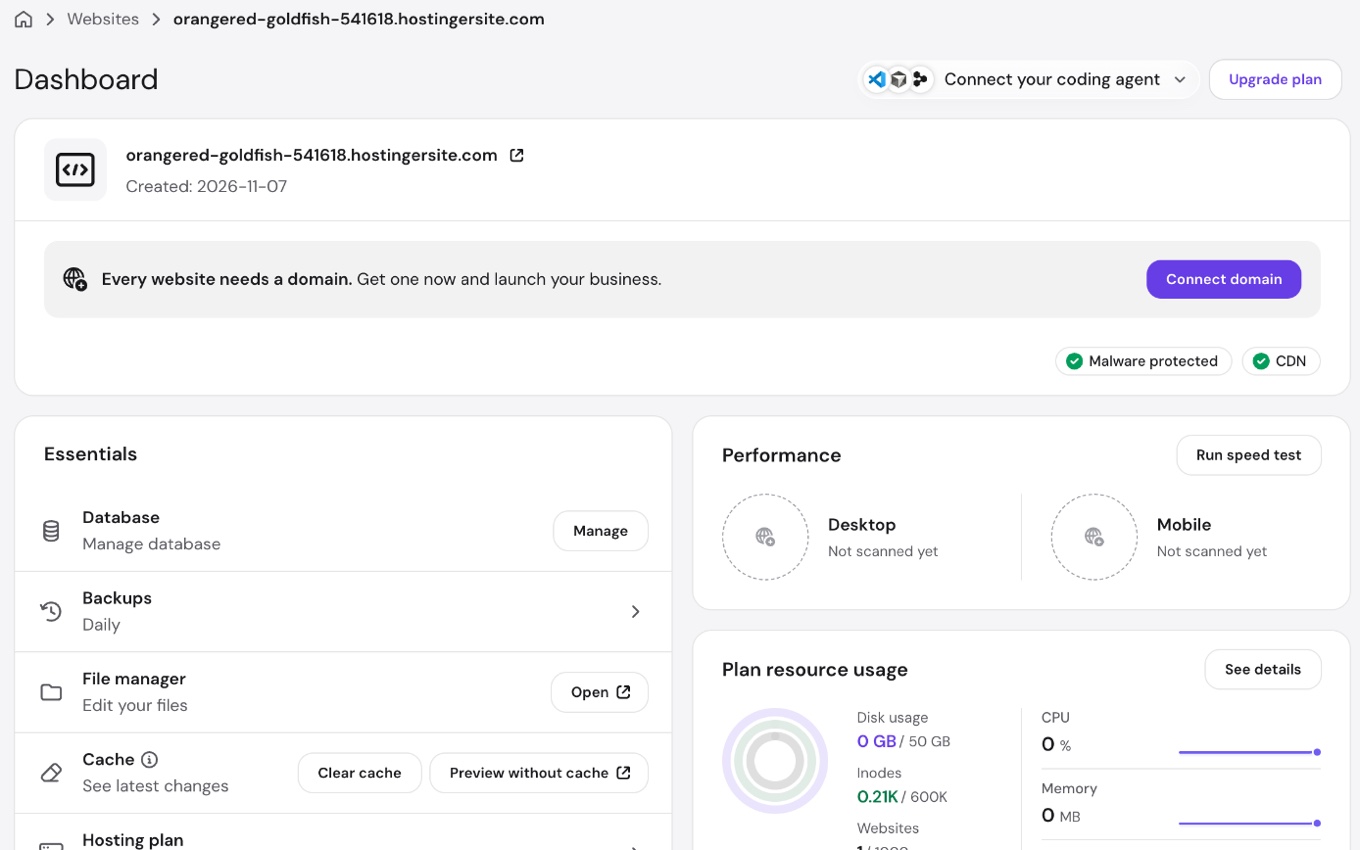
The zip route worked. hosting_files_generate-upload-url returns an upload URL, the agent sends the zip with curl (two requests, under a second), and hosting_websites_deploy-static-site-archive unpacks it. Live about 7 seconds after the upload started, and v2 the same. That's two MCP calls and one curl upload per deploy. Hostinger's plugin README says deploys need an agent with shell access for that curl step.
Quirks: Hostinger's CDN re-encoded our PNGs (new file sizes and hashes, identical pixels), a missing page got Hostinger's own 404 with our 404.html ignored, and no password tool turned up. Every deploy overwrites the whole site.
GitHub MCP and GitHub Pages
GitHub's MCP server (https://api.githubcopilot.com/mcp/, with a personal access token) has no GitHub Pages tool. It creates repos and commits files, and that's where it stops. We had to step outside MCP twice:
- Binary files.
push_filesandcreate_or_update_filetake file content as a string, so the PNGs went up withgit push. - Turning Pages on. No tool for it, so that was one
gh apicall with the GitHub CLI.
Also, create_repository makes a private repo unless told otherwise, and free Pages on GitHub Free needs a public repo (the private-repo options).
After that, Pages is pleasantly hands-off. v1 was live 47 seconds after Pages was switched on, and a v2 commit through the MCP went live in about 34 seconds with no extra call. Custom 404 page, HTTPS enforced, big PNG intact.
Watch the URL: <user>.github.io/<repo>/ is a subpath, so root-relative links like /style.css break. Our test site used relative links. Pages has no password option (the workaround), and per GitHub's docs as of November 2026, a site can be up to 1 GB with a soft 100 GB of bandwidth a month. More hosts in GitHub Pages alternatives.
Hostsmith MCP
Hostsmith's server is ours, at https://mcp.hostsmith.net/mcp, with OAuth. Nine tools: get_account, list_domains, list_sites, get_site, create_site, deploy_files, deploy_create_upload, deploy_finalize and delete_site.
Files go in two ways. deploy_files sends text files inside the tool call, about 1 MB per call with a hard ceiling around 6 MB. Images, zips and anything over about 1 MB go through deploy_create_upload: the tool hands back a presigned URL, the agent PUTs the file to it from its own environment, then calls deploy_finalize. That PUT is the same kind of step as Hostinger's curl upload. In claude.ai, Hostsmith is added as a custom connector by URL, since it isn't in Anthropic's connector directory (checked November 7, 2026). We didn't test a deploy from there.
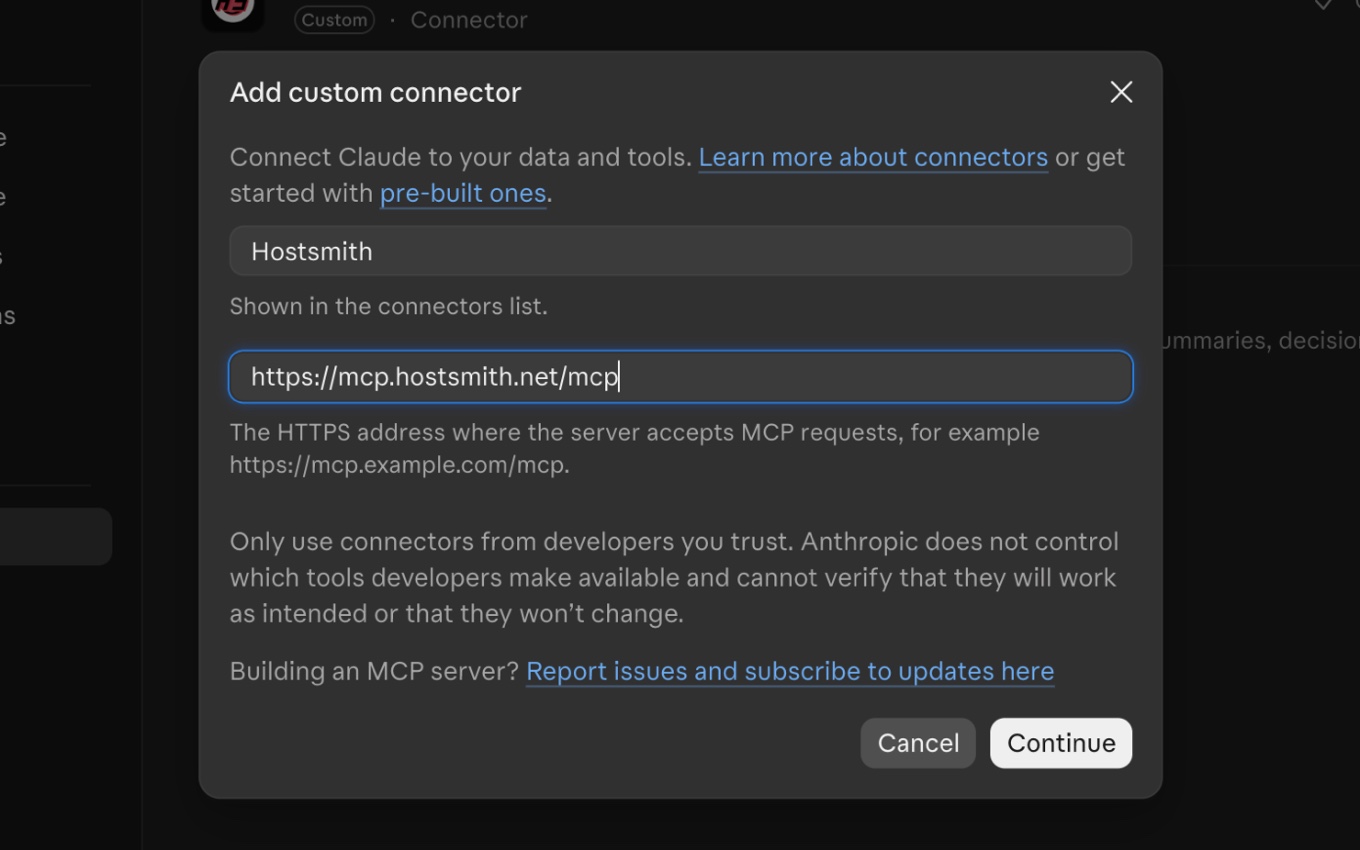
Our run, from Claude Code: create_site, the 1.5 MB zip uploaded with one curl request in 1.86 seconds, finalize, live about 27 seconds after create_site (the agent's time between calls included). Folders survived the unzip, and the PNG's hash matched. A redeploy replaces every file at the same address; v2 showed up in about 43 seconds, paced by the 60-second edge cache.
What didn't go well:
- No custom 404. A missing path gets Hostsmith's own not-found page, and your
404.htmlis ignored. get_sitereturns no URL field, though its description says it does.deploy_finalizeprints it.deploy_finalizeanswers "processing", so the agent has to poll.- Every call carries a conversation ID from the first response, plus the model name, so the agent can't fan out calls at the start.
- Delete lingers. Cached files kept serving for about 90 seconds after
delete_site.
There's no build step: the agent builds and deploys the output folder (the Astro version). Sites get a your-site.us.hostsmith.link address, custom domains come with Pro, and Private Sites (password or email whitelist) with Starter, switched on in the Hostsmith dashboard since the MCP server has no tool for it.
App hosts vs file hosts: which kind of server do you need
Three kinds of host sit behind these eight servers. File hosts publish the files you send with no build for you to set up: Hostsmith serves them as is, Hostinger's CDN re-encoded our PNGs without changing a pixel, and GitHub Pages ran its legacy Jekyll pass on its own. Build hosts can run your framework's build on their side: Vercel and Netlify (Netlify built even our plain HTML, in seconds). App hosts run services: Railway turned our HTML into a container, and Render runs web services next to its static sites.
| Your project | Server type | From our test |
|---|---|---|
| Plain HTML, CSS and JavaScript | File host | Hostsmith, Hostinger, GitHub Pages; Netlify works too |
| A static build (Vite, Astro, Hugo) | File host after a local build, or a build host | The agent runs the build and deploys dist/ |
| Next.js with server code | Build host | Vercel or Netlify (server code wasn't part of our test) |
| An app with a backend or a database | App host | Railway or Render |
Newer Lovable apps on TanStack Start land in the build-host row (deploying a Lovable app), or, if they don't need the server at request time, in the static-build row once prerendered, as our Replit vs Lovable test app did. For the bigger picture, see Vercel alternatives, Replit alternatives and Replit vs Lovable.
When to skip MCP: the CLI, the API or an SDK
MCP shines when the agent should ship this site now, in the same conversation. It's weaker at repetition and big files, and the vendors know it: Vercel's server points to its CLI, Railway's to railway up and Hostinger's to hostinger up.
So: deploying 100 sites, or every push to main? Script it with the vendor's CLI or API from CI and leave the agent out of the loop. For Hostsmith, that's the API or the JS SDK from your own CI. No agent and no pipeline, just a folder to put online? Drag-and-drop website hosting is the shorter route.
Frequently asked questions
Can Claude Code host a website?
No. Claude Code writes the files on your computer, and a host serves them. An MCP server lets Claude Code publish to that host without leaving the conversation. The full walkthrough is in how to build a website with Claude.
Do I need the CLI, or is the MCP server enough?
Depends on the server. In our test, only Hostsmith and Hostinger got the whole site up with MCP plus one HTTP upload. Netlify needed npx, GitHub git and gh, Render and Railway a Git repo, and Vercel and Cloudflare couldn't carry images at all.
Which MCP server works on a free plan?
Vercel (Hobby), Netlify (Free, about 20 production deploys a month), Cloudflare (Workers Free), Render (static sites), GitHub Pages (public repo) and Hostsmith (Free: 1 site, 5 MB; our test ran on Agency). Railway gives $1 of credit a month. Hostinger has no free plan. Checked November 7, 2026.
Can the agent put a password on the site?
Not on any free plan we tested. Vercel's and Netlify's tools answered 428 and 422: both put passwords on Pro. The other six have none we found. On Hostsmith, Private Sites are a dashboard setting from Starter up. More options in how to password protect a website.
Does Railway have an MCP server?
Yes: the Railway MCP server now ships in the Railway CLI as railway mcp (5.44.0 or later), with a hosted option at mcp.railway.com. The npm package @railway/mcp-server has been a deprecated shim since May 2026.
Do these servers work in claude.ai, not just Claude Code?
The remote ones can be added as connectors. Vercel, Netlify, Render, Railway and Cloudflare have pages in Anthropic's connector directory; Hostsmith is added as a custom connector by URL. We ran every test from Claude Code, none from claude.ai. Any deploy that moves files outside the tool call needs a client that can run that step: Netlify's npx, GitHub's git push, Hostinger's curl and Hostsmith's upload URL. For Claude's own share links, see publishing a Claude artifact.
Which one we'd pick
Every server that got our 1.5 MB image online moved it outside the MCP call: an npx command, a Git push or one HTTP upload. The two that kept everything inside the call, Vercel and Cloudflare, are the two that couldn't carry it.
So treat the MCP server as the control panel. It creates the site, starts the deploy and hands back the URL, and the files travel some other way. Pick the server whose other way your agent can actually run.
For a folder of finished files, images and all, from an agent with a shell, we'd pick Hostsmith's server: one upload, a finalize call and a working URL back in the same conversation. That's the job we built it for.
To try it, Hostsmith's MCP page has the setup for Claude Code and other MCP clients.